Shownotes
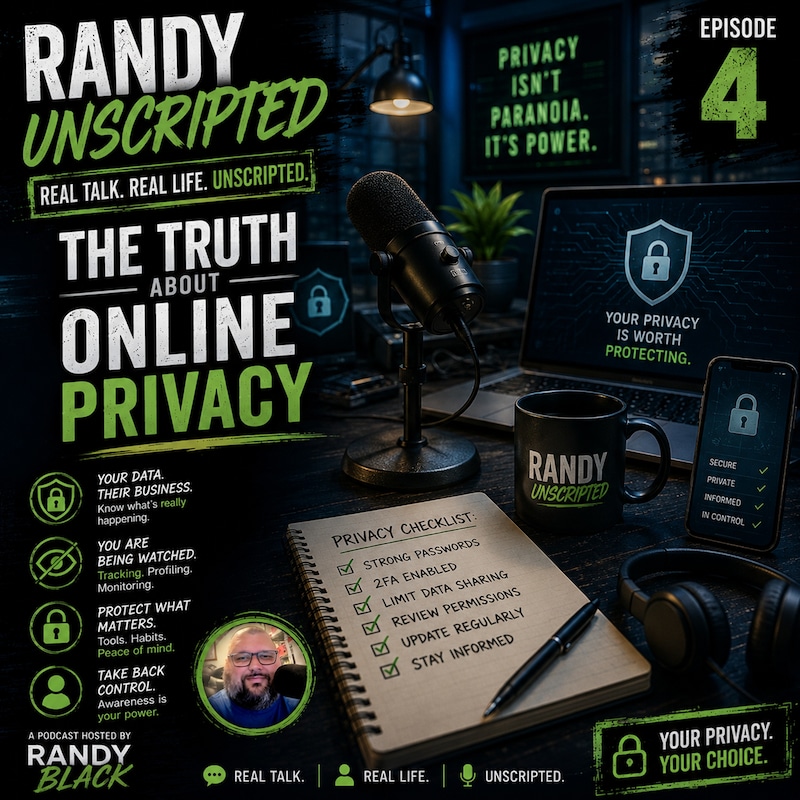
On this third episode for NaPodPoMo, I talked about the idea of online privacy in the United States of America today. This podcast episode is based on a blog post available on my website: https://randallblack.com/blog/do-you-have-a-right-to-privacy-online-in-the-united-states/.
Transcripts
Randy Black.
:Randy Black.
:Randy Black.
:Randy Black.
:Randy Black.
:Randy Black.
:Randy Black.
:Randy Black.
:He's a troublemaker.
:Welcome back to Randy Unscripted.
:I'm Randy Black, and we're rolling through another podcast episode as a part of NAPOD POMO.
:That's National Podcast Post Month, where podcasters like me are creating and releasing 30 episodes
:in 30 days.
:Today, here on episode three for NAPOD POMO, November 3rd, 2025, I want to explore a question
:that kind of impacts every one of us who spends any time online. Do you really have a right to
:privacy in the United States? It's a question that sounds simple, but the answer? Well, it's a little
:more complicated than most people even realize. We're going to unpack what privacy actually means
:in our digital world, what laws exist to protect it, and what you can do to take more control over
:your personal information. Today on Randy Unscripted. Here's the first thing to understand.
:There is no single federal law in the United States that says you have a right to privacy online.
:It might surprise you, but it's true.
:While the Constitution mentions privacy indirectly, it doesn't give us a broad, guaranteed digital right.
:The Fourth Amendment, for example, protects us from unreasonable searches and seizures.
:But that primarily applies to the government, not to private companies.
:So if a social media platform or an app collects all this personal data or it tracks your activity,
:it's usually not breaking any law unless a specific regulation applies.
:Your right to privacy online really depends on who's collecting the data,
:what kind of data it is, and ultimately it comes down to where you live.
:Now, that doesn't mean we're totally unprotected.
:There are federal laws that cover privacy.
:They're just very specific in what they cover.
:Let's walk through a few of the key ones that exist out there.
:The Federal Trade Commission Act gives the FTC, that's the Federal Trade Commission,
:power to act if a company misleads consumers or it breaks promises about privacy.
:So if they say they're protecting your data and they don't, say there's a data breach like we saw major data breaches with Target and other companies in the last several years, the FTC then has the right to step in and do something about that.
:Then there's COPA.
:COPA is the Children's Online Privacy Protection Act, and it protects kids under 13 by requiring that they have parental consent before their information can be collected.
:We also have the Electronic Communications Privacy Act and the Stored Communications Act, and they address how that digital communications can be accessed.
:but these laws were written back in the 1980s,
:long before we lived our lives almost entirely online
:so that they're vague and don't truly apply to what we have going on today.
:HIPAA, well, you've heard of it, I'm sure, protects your medical information,
:but only when it's handled by covered medical entities.
:A lot of people don't realize that.
:Then we have the Graham-Leach-Bliley Act, and it deals with how financial institutions protect and share customer data today.
:Each of these laws covers one corner of the digital world we live in, but there's no single law that protects all of your online data everywhere.
:Since federal lawmakers haven't yet stepped up and passed a comprehensive privacy law, a number of states have stepped in and tried to fill the gap.
:California was the first with the California Consumer Privacy Act, the CCPA, and later it
:expanded it and it became the California Privacy Rights Act. These give residents the right to know
:what personal information companies collect, to request the deletion of that data, and then to be
:able to opt out of having that data sold. Other states like Virginia and Colorado, Connecticut,
:Utah, they've followed with their own privacy laws. And each one looks a little bit different.
:But they all aim to give people more control over their data. The tricky part in all this?
:Your rights change depending on where you live. A Californian and someone from Kentucky could be
:using the exact same app, but their legal privacy protections might be 100% completely different.
:So what does all this mean for you as an everyday user? Well, in short, online privacy in the United
:States is a patchwork. Some protections come from federal laws, some come from state laws, and some
:situations really aren't covered much at all. That can feel frustrating, but it's not hopeless.
:You can take steps to safeguard your own data. Start first by paying attention to those
:I accept buttons on websites and in apps. That privacy policy you scroll through really fast,
:it actually tells you what they're going to do with your information.
:Take the time to adjust your privacy settings on social media and on your mobile device to ensure that your data is protected.
:Most platforms now include tools to limit what's collected and what's shared.
:Keep an eye on your state laws.
:They might already give you rights you just didn't even know you had.
:There have even been some proposals for a federal law like the American Data Privacy and Protection Act.
:But as of now, nothing comprehensive has passed in our national legislature and Congress.
:So let's close out today by sharing some practical tips, some practical steps to help you to protect your privacy online.
:The first thing is to use a strong, unique password for every account you have.
:An amazing way to do that is with a password manager.
:I personally recommend Bitwarden.
:A lot of people in the past have used LastPass.
:They had a data breach not too long ago, so I've kind of shied away from that.
:But there's Bitwarden, OnePass, all kinds of password managers out there that secure
:and encrypt your passwords and will even generate passwords for you that are strong
:and complex.
:And you just have to remember one password to get into that, your master password.
:Another thing to do is to turn on two-factor authentication whenever possible.
:And yes, I agree.
:Two-factor authentication can be annoying.
:For instance, I work in education in the state of West Virginia, and every user in our tenant who's an adult, who's a staff member, you have to use two-factor authentication because we had too many accounts getting compromised.
:So everyone's required to do it when they are off of our internal state K-12 network.
:And it's annoying, but it is a sense of security.
:It gives us the ability to secure those accounts.
:Next thing you can do is be cautious about what personal information you post and you share online.
:Does everybody need to know your home address by putting it on your Facebook profile?
:No.
:How about your phone number?
:Probably not.
:So protect that information if you can and try to not let it get out as much as possible.
:You also can use browsers or extensions that block trackers and limit data collection.
:There's some great tools to do that.
:There's even some tools that you put on your network, like a pie hole, that blocks a lot of these things on your network by using it as your DNS resolver.
:And they're amazing.
:The last practical step I can give you is to always check your app permissions.
:You might really be surprised at what those apps have access to.
:For example, when it asks to have access to your location, it's tracking your location 24-7, 365, anytime your phone is on.
:If it's asking to have access to your photos, it may be looking through your photos all the time and collecting data from those.
:So be careful with those permissions, check them, and make sure you read through what they're actually doing.
:Privacy isn't just about keeping secrets.
:It's about control.
:It's about knowing what's being collected, how it's being used, and who it's being shared with.
:And that awareness, knowing that, puts the power back in your hands.
:So, let's close out today.
:Do you have a right to privacy online in the United States?
:Not an all-encompassing one.
:At least not yet.
:But that doesn't mean that you're powerless.
:The more you understand how this system works, the better choices you can make to protect your digital life.
:Thank you for joining me today here on Randy Unscripted.
:I'm Randy Black, and this has been another episode for NAPOD POMO National Podcast Post Month, 30 episodes in 30 days.
:And if you're a podcaster listening right now, I want to encourage you to jump in and join the challenge.
:It is a great way to build consistency, explore new ideas, and ultimately share your voice with the world.
:Until next time, stay aware, stay informed, and stay unscripted.
:Okay, how much do we pay for this bad boy?