Shownotes
Episode 38: The QuickBooks Adjustment Toolbox: Credit Memos, Vendor Credits, and Journal Entries
Episode Overview
Something looks wrong in QuickBooks.
Maybe a customer owes you less than the invoice says. Maybe a vendor gave you a credit. Maybe a customer's check bounced. Or perhaps your accountant handed you a list of year-end journal entries and you have no idea what any of them mean.
The temptation is to start clicking until the number looks right.
But that can create an entirely new problem.
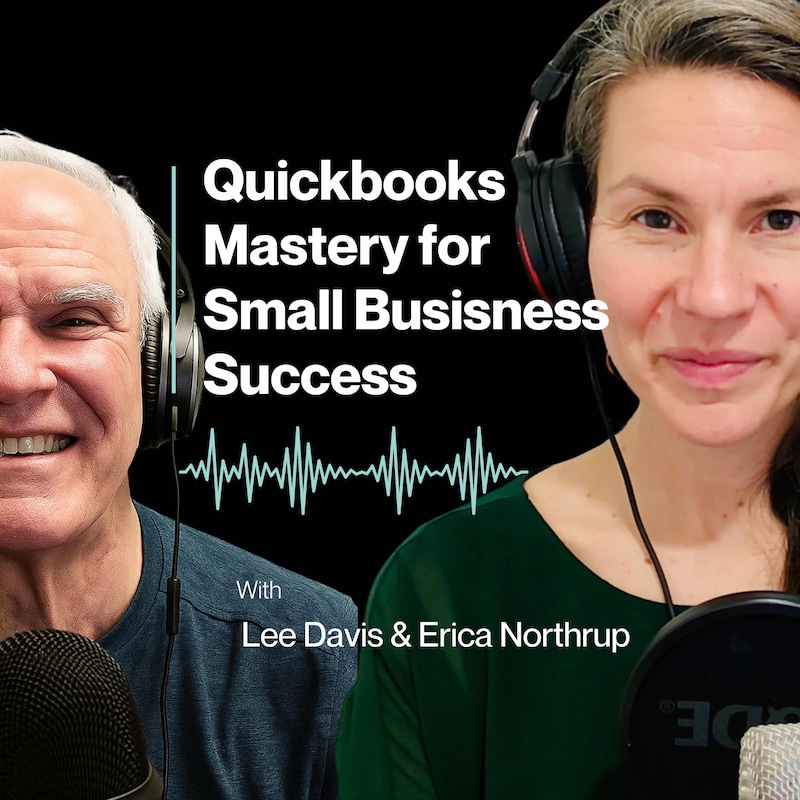
In this episode of QuickBooks Mastery for Small Business Success, father-daughter team Erica Northrup and Lee Davis break down a better way to approach QuickBooks corrections: understand what happened in the business first, then choose the tool that accurately records it.
Lee explains why journal entries often feel intimidating, how standard QuickBooks forms handle much of the accounting behind the scenes, and why journal entries are simply another tool in your QuickBooks toolbox—not something to automatically fear or automatically use.
The conversation walks through real-world examples involving credit memos, refunds, vendor credits, bounced checks, bad debt, payroll, and adjusting journal entries.
The goal isn't to memorize every possible QuickBooks procedure.
It's to understand what you're trying to accomplish.
What You'll Learn
- Why journal entries feel more intimidating than standard QuickBooks forms
- How to decide between a credit memo, refund, vendor credit, or journal entry
- Why you should understand the business event before deciding what to click
- How bounced customer payments should be treated differently from normal expenses
- Why preserving transaction history matters when correcting QuickBooks
- How journal entries interact directly with your Chart of Accounts
- Why payroll is a useful example of a transaction affecting several accounts
- What to do when a QuickBooks balance looks wrong and you don't understand why
Chapters & Timestamps
00:00 — QuickBooks Mastery Opening
00:56 — Episode 38: The QuickBooks Adjustment Toolbox
02:32 — Why Journal Entries Intimidate Business Owners
11:55 — When to Use Credit Memos in QuickBooks
15:00 — Refunds vs. Credits in QuickBooks
19:43 — When to Use Vendor Credits
21:55 — How to Handle Bounced Checks
26:27 — Bad Debt Write-Offs and Accounting Method
31:25 — Journal Entries Deep Dive
40:59 — Payroll and Adjusting Journal Entries
45:41 — QuickBooks Tool Lightning Round
52:29 — Episode Summary and Challenge
59:37 — Outro and Resources
Key Takeaways
One of the biggest themes in this episode is that QuickBooks should tell the story of what actually happened in your business.
If a customer was originally invoiced $2,000 and you later gave them a $300 credit, simply changing the original invoice to $1,700 erases part of that story.
The original sale happened.
Then something else happened that caused you to issue the credit.
Recording both events preserves information that may matter later.
The same principle applies throughout QuickBooks.
A bounced customer check isn't simply another expense because money left the bank. The customer paid you, the payment was returned, and now the customer owes you again.
Understanding that sequence helps you choose the correct accounting treatment.
Another important lesson: journal entries aren't inherently good or bad.
Sometimes QuickBooks provides a purpose-built form—such as a credit memo or vendor credit—that keeps the transaction connected to the appropriate customer or vendor.
Other situations involve several accounts or accounting adjustments that don't fit neatly into a normal transaction form. That's when a journal entry may be exactly the right tool.
Why Journal Entries Feel So Different in QuickBooks
When you create an invoice, QuickBooks handles accounting behind the scenes.
You see the invoice.
QuickBooks also knows that Accounts Receivable and income accounts may be affected based on how the transaction is set up.
Journal entries expose more of that accounting directly.
Instead of simply choosing a customer or product, you're deciding which accounts should be debited and credited.
That can feel intimidating if you've never worked directly with the Chart of Accounts.
But Lee's advice is simple: don't begin by worrying about the debit and credit columns.
Begin by asking:
What am I trying to accomplish?
When a Credit Memo Is the Right Tool
Suppose you invoiced a customer $2,000 but later agreed to reduce the amount they owe by $300.
Rather than changing the original invoice, a credit memo allows you to preserve the original transaction while recording the later adjustment.
It also keeps that adjustment connected to the customer.
This creates a much clearer history of what actually happened.
Credit vs. Refund: What's the Difference?
A credit reduces what someone owes.
A refund involves money actually leaving the business and going back to the customer.
That distinction becomes especially important when a customer has already paid or accidentally overpaid.
Understanding whether you're reducing a balance or physically returning money helps determine the correct QuickBooks workflow.
Vendor Credits Work in the Opposite Direction
Customer credit memos and vendor credits are similar concepts viewed from opposite sides of the transaction.
A credit memo generally reduces what a customer owes your company.
A vendor credit reduces what your company owes the vendor.
Again, the form exists because QuickBooks knows you are dealing with a specific vendor relationship and can preserve that history.
Why Bounced Checks Can Create Confusion
A bounced customer payment is an excellent example of why the bank feed doesn't tell the entire accounting story.
The bank feed may simply show money leaving your account.
But the underlying business event is more complicated.
The customer originally owed you money.
They paid.
The payment was returned.
Now they owe you again.
There may also be a bank fee or returned-payment fee involved.
The correct QuickBooks workflow needs to reflect all of those events—not simply categorize the withdrawal as another expense.
When Journal Entries Make Sense
Journal entries become particularly helpful when a transaction affects multiple accounts or when you need to make a true accounting adjustment.
Payroll is one example.
One payroll cycle may involve wages, cash, payroll liabilities, taxes, and other accounts.
Year-end adjusting entries from your accountant are another common example. These may include depreciation, loan adjustments, prepaid expenses, accrued expenses, or other changes needed to properly reflect financial statement balances.
Good documentation matters here.
Whenever possible, include notes, descriptions, and supporting documents so someone reviewing the books later understands why the adjustment was made.
What If You Don't Know What's Wrong?
Don't create another transaction simply to make the number disappear.
Investigate first.
Lee recommends looking at the original transaction, customer or vendor history, reconciliation information, and the way the account appears on the Balance Sheet or Profit and Loss.
Follow the trail until you understand what created the number.
Only then should you decide how to correct it.
Related Episodes
Episode 37: Does Your QuickBooks Actually Match Your Bank? Why Reconciliation Matters — Reconciliation helps expose the problems that Episode 38 teaches you how to begin diagnosing and correcting.
Resources Mentioned
QuickBooks Clarity Scorecard
Not sure how healthy your QuickBooks file really is?
The free QuickBooks Clarity Scorecard helps you identify areas that may need attention and gives you a clearer picture of where your books stand.
https://lee-davis-and-company.aweb.page/unlock-clarity-free-scorecard
Lee Davis & Company
For more QuickBooks education and resources:
https://leedavisandcompany.com
Questions?
Take the Next Step
Listen to the complete episode to hear Lee and Erica work through each scenario and explain the thinking behind the different QuickBooks tools.
Then, the next time something looks wrong in your books, ask three questions before you start clicking:
What actually happened? Which accounts should change? Which QuickBooks tool best records that story?
And if you're not sure how much you can trust the information already sitting inside your QuickBooks file, download the free QuickBooks Clarity Scorecard and take a look at the bigger picture.
Transcripts
QuickBooks Mastery for Small Business Success. I’m Erica Northrup.
Lee:And I’m Lee Davis.
Erica:I handle the tech, and he handles the numbers, and together as a father-daughter team, we bring decades of experience helping small- to medium-sized businesses thrive.
Lee:We know that as a business owner, your time is best spent mastering your craft and growing your business, not getting lost in QuickBooks.
Managing finances can be confusing, and you don’t have hours to waste sorting through spreadsheets or fixing bookkeeping mistakes. That’s where we come in, helping you streamline QuickBooks so you can focus on building your business.
Erica:Each week, we break it all down into simple, actionable steps so you can focus on growing your business, not fixing your books.
Lee:Let’s embark on this journey together.
Erica:Welcome back to QuickBooks Mastery for Small Business Success. I’m Erica Northrup, and I’m here with my papa, Lee Davis.
Lee:Good to be here, Erica.
Erica:Yeah, so good to have you, Papa. We really enjoy this.
So this is Episode 38, The QuickBooks Adjustment Toolbox: Credit Memos, Vendor Credits, and Journal Entries.
Last week, we talked about reconciliation and why one of the most important questions you could ask about your QuickBooks is: Does what QuickBooks says happened actually match what happened at the bank?
And one of the really valuable things about reconciliation is that it can expose problems.
Maybe something was entered twice. Maybe a payment went into the wrong bank account. Maybe there’s a transaction sitting somewhere it doesn’t belong. Maybe a balance just doesn’t make sense.
So now we get to the next logical question.
Once we know something needs to be fixed, what tool do we use to fix it?
And Papa, this episode actually came from something you were talking about recently. You said that a lot of people are intimidated by journal entries, and I can completely understand why.
When I create an invoice, QuickBooks gives me an invoice. When I create a credit memo, it looks like a customer transaction. When I enter a bill, it looks like a bill.
But when I open a journal entry and suddenly I’ve got accounts, debits, and credits staring back at me, I think, “Okay, we have officially entered accountant territory.”
But you actually said there’s really no reason for people to be afraid of journal entries.
So why do you think they intimidate people so much, Papa?
Lee:I think that they’re afraid of it because they’re just not familiar with it, and they haven’t had any training in it. They haven’t used it.
And I think that people sometimes, particularly who are just getting their feet wet in QuickBooks, see that as just territory that they’re not ready for.
And they think that they don’t understand it because, with a lot of the standard forms in QuickBooks, QuickBooks is doing some of the accounting—the heavy lifting—behind the scenes for you.
You create an invoice, and QuickBooks on the other side sends it to Accounts Receivable. You don’t see that.
You enter a bill, and you put the bill in and make the expense, but you don’t see Accounts Payable.
You issue a credit memo, and while the form may be a little confusing about how you might apply that credit memo, nevertheless, it goes into the customer account. You see the credit, and QuickBooks knows some of the accounts that need to be affected based on the way the form and your products and services are set up.
So with a journal entry, you’re looking more directly at accounting.
It’s sort of like, what’s the debit and the credit, or the right and the left side of the equation?
You’ve got an account. You’ve got the debit side. You’ve got the credit side.
I was just talking with a client this week who said, “Okay, is the debit the increase and the credit the decrease?”
I said, “Yes, that’s a good way to look at it.”
But then you have to ask what account you’re talking about.
If you have a debit on your cash account, yes, that’s increasing cash. And if you have a credit on your cash, that’s decreasing cash.
So a little bit of accounting background, I think, is really helpful.
You’re deciding which accounts need to be affected, but that doesn’t mean there’s anything you should be afraid of.
Actually, if you go back and listen to our work on the Chart of Accounts, we really have a deep dive into it, and a journal entry is simply another tool in the QuickBooks toolbox.
Some people think that your accountant should make the journal entries, but frankly, you both could be making journal entries.
The important thing is to understand what you’re trying to accomplish.
Erica:Yeah, that’s really where the last few episodes come into play, Papa, because we spent two episodes talking about the Chart of Accounts.
We talked about assets, liabilities, equity, income, expenses, Accounts Receivable, Accounts Payable.
So this is almost the practical application of that.
Now, instead of just asking, “What is Accounts Receivable?” we’re saying, “If Accounts Receivable needs to change, what happened, and what’s the best way to record that?”
Lee:That’s exactly right, Erica.
And we were talking before we started this episode that a lot of the material that we get comes from client interaction and really solving problems that the client needs help with.
So I think with this episode, if you have a list of questions sitting there when you look at your Accounts Payable or Accounts Receivable, or maybe a customer account isn’t right, or maybe there’s a transaction you’re not sure how the accounts are affected and how it works in QuickBooks, this can help.
Many times, again, QuickBooks is not intuitive.
Erica:No, it’s not.
Lee:So you’re going to have to learn it.
And quite frankly, one of the problems with journal entries is you don’t use them enough.
If you frequent them enough times and you make notes about a particular way to handle something, it’s a good way to remember it.
Erica:Yeah, absolutely.
Sometimes it’s a little bit of slowing down to speed up.
You need to take a few extra minutes and understand what you’re doing, understand these different tools, and then apply them over and over again to make those memory lines deep.
Lee:And sometimes a journal entry may be the right tool.
Other times, QuickBooks has another form that may accomplish what you need more appropriately.
And there can be more than one way to handle a transaction.
The important thing is to understand what you’re doing and the result you want to try to achieve.
Erica:Yeah, absolutely.
Okay, so that already changes the way I want to think about this episode, Papa.
This isn’t journal entries versus everything else.
It’s that QuickBooks gives us a toolbox: credit memos, vendor credits, invoices, checks, refunds, journal entries.
And before we choose a tool, we need to understand the job.
That is so critical no matter what you’re talking about because, as you all know, I have gotten into the building world recently.
Now I’m a gardener, I’m building furniture, and I am designing things.
Sometimes I’ve been thinking about this with gardening.
Sometimes what you need is a big shovel, but sometimes what you need is a little shovel.
If you try to use a big shovel for a job that requires a little shovel, it doesn’t go as well.
And sometimes, when you’re trying to do a job that requires a big shovel and you’re using a little shovel, it just doesn’t work.
So yes, having the right tool for the job makes it more efficient, makes it work better, and you can definitely apply this to QuickBooks.
Lee:That’s right, Erica.
I think we’ve said this before in the podcast, and I can’t stress it enough.
Sometimes entrepreneurs try to work around QuickBooks with something they’re comfortable with.
It might be Excel or some form of spreadsheet, when it could easily be done in QuickBooks if they took the time to understand what they needed and what the solution is within QuickBooks.
Erica:Yep, absolutely.
The right tool. That’s what it’s all about.
Okay, so let’s say I came into your office, Papa. I Zoomed myself up to New Hampshire, where I so wish I could do that.
I was talking with a friend this morning and was just like, “Beam me up, Scotty.”
I wish that was a thing. How many times would I love to be there instantly?
But let’s say I came into your office and I said, “Papa, something is wrong in QuickBooks. What form do I use?”
What are you going to ask me first?
Lee:I’m going to look at the history.
What happened?
Was this a customer transaction?
Did it involve a vendor?
Did somebody return something?
Did the customer overpay?
Does the customer owe you less than the invoice says?
Did the vendor give you a credit?
Did a customer payment get returned?
Are you trying to write off an amount you’re not going to collect?
Are you recording payroll?
Did you purchase some equipment or buy a vehicle, and do you have a loan that you need to record?
Or are we making an accounting adjustment that doesn’t necessarily have a normal customer or vendor form associated with it?
Once we understand what happened, I can start asking which accounts should be affected and where I want this transaction to appear in the Chart of Accounts.
Then I can decide which QuickBooks form makes the most sense.
Erica:So really there are two questions, right?
If I’m hearing correctly, there are really two questions.
What happened in the business, and what should happen in the accounting?
Is that correct, Papa?
Lee:Exactly.
Erica:Yeah, absolutely.
And I feel like there’s an important mindset shift here.
What I might naturally start with is, “What do I click?”
But what you’re saying is we need to start with the business.
What happened inside of the business?
Because QuickBooks is supposed to reflect what happened in the business.
The software completely comes second.
Once you understand those building blocks, then you can naturally go into QuickBooks and really reflect what the business is actually doing.
Lee:Yeah, that’s exactly correct.
I guess I’m old school, Erica, because back in the day when I was learning accounting, we used T-accounts.
And believe it or not, a T-account is nothing more than taking a transaction and synthesizing it down, breaking it down into the various accounts.
I could see what each transaction would involve.
And in some ways, sometimes today I do the very same thing, particularly when a client has multiple transactions and I want to make sure we get to the desired result.
Erica:Yeah, absolutely.
Okay, so let’s start walking through some actual situations.
Here’s the first one.
I invoice a customer $2,000. Then something changes.
Maybe we didn’t perform part of the work. Maybe there was an issue with something we sold. Maybe we agreed to give them a $300 allowance.
They no longer owe us the full $2,000.
How would you think about that, Papa? Where would you start?
Lee:You need to go to the Create menu.
The Create menu is such a great place to hang out in QuickBooks.
I think I enjoy hanging out with you, Erica, here on this podcast.
Erica:Yeah.
Lee:And I tell people the Create menu is a great place to understand where you find solutions.
You’re going to go under the customer section.
Even if you’re stumbling through it, you would go to the customer credit—the credit memo.
You’re going to post that credit memo, and you’re going to need to look at the original invoice.
I oftentimes will print out the original invoice because I want to know what product or service I used.
Sometimes there are multiple products and services on an invoice, and I want to get that credit back to the particular product and service that the customer is expecting the credit for.
Does that make sense?
Erica:Yeah, absolutely.
Lee:And then, because it’s going to ask you for that product and service, the form is really good because you see the immediate credit on the customer account.
While you may have to go in and apply that credit to the customer account, you’ll see the credit.
Then you might have to go in to Receive Payment, and you’ll see a credit to apply.
You go ahead and apply that credit, and the customer account and the accounting are perfect. It’s done.
Or you can even send the customer a copy of that credit memo.
Sometimes customers like that.
They like to think, “Oh yeah, he took care of that. I got the credit, and now I can pay the balance,” or whatever.
Erica:Which I guess then goes right back into your Chart of Accounts discussion.
The form is one piece, but underneath that form, QuickBooks is still deciding where those dollars ultimately go.
Isn’t that how it all works?
Lee:Exactly.
Erica:Yeah, awesome.
And there’s also something I like about preserving that history.
We don’t need to go back and pretend the original invoice was always $1,700.
We can actually see: Here was the original invoice, and here was the credit we issued after that.
Lee:Yes, absolutely.
And that’s why you don’t ever want to change the invoice.
That’s a great follow-up because there’s no history in doing that other than going into some of the transactional history through the accounting auditing feature, which you don’t want to have to do.
That’s not the correct way to track it because you want your customer to be able to see that information as well.
That’s why that’s such a great feature.
Erica:Yeah, so good.
Okay, so now I’m going to confess, I’m already confused again.
What’s the difference between giving somebody a credit and giving somebody a refund?
It certainly seems like those are one and the same. Those sound pretty similar, Papa.
So explain the difference to the non-accountant over here.
Lee:Well, the non-accountant has certainly grown in accounting.
When you issue a credit for a return to a customer or client, they’re not getting money back.
They’re getting credit on their account.
It might have been for returned merchandise, or there are a number of returns people get all the time in retail.
If a customer owes you a balance and they get a customer credit, that’s one thing.
If, for some reason, the customer paid the bill and they’re now getting a credit, it creates a credit balance.
If you have a credit balance, the customer then may expect a refund.
That’s where you would give the customer money back.
That refund form is designed to give money back to a customer.
Erica:So good.
So credit: I owe you less, or you owe me less.
Refund: money is actually going back out the door.
Lee:That’s correct.
Erica:Okay. That makes sense.
Let’s make this a little more interesting, Papa, because we always like making things interesting around here.
What if the customer paid us too much?
Maybe they accidentally paid an invoice twice. Maybe they overpaid by $500.
Now there’s a credit sitting on their customer account, and they say, “I don’t want to leave it there. Send me my money back.”
How do we think through that?
Lee:That’s a customer refund.
You’re going to post that refund to that customer account, and QuickBooks will do all of the backend work for you to issue that check back.
It won’t obviously issue the check itself, but it will prepare all of the accounting for you to send that check back.
So when you send the check to the customer, it will match all of the accounting when that check gets cleared back into your bank transactions.
That’s really important because you want to make your QuickBooks accounting seamless.
Don’t miss a step.
It’s a little bit like your gardening example.
Your mother is a great gardener.
Erica:Oh, Mom is the best.
Lee:She understands maybe vegetable gardening more so than plants, although she has a degree in plant science.
But I think when you look at the steps to gardening, or the steps to success in anything, you can’t jump over things.
You have to understand there might be different tools you use to get to the desired result.
That’s exactly what a refund is.
There are a few transactional steps that get you to that customer refund.
Erica:Yeah, absolutely.
And this is where I think your point about journal entries becomes important.
A journal entry isn’t some mysterious accountant trick.
Sometimes we really do have an unusual situation where we need to move an amount between accounts in a very specific way, don’t we, Papa?
Lee:Exactly.
Erica:Yeah, absolutely.
Journal entries are often useful for situations that don’t fit neatly into the normal day-to-day transaction flow.
And if you understand what the accounts are doing, they can be a very effective tool.
Am I on the right track there?
Lee:You are.
And I think, unfortunately—or it’s just the way QuickBooks works—their internal processes when they look at refunding money sometimes have systems that you have to work around, and it requires a journal entry.
That’s advanced QuickBooks, and you need help with that.
Because frankly, QuickBooks isn’t going to be your accountant or take responsibility.
While they might mess up and you’ve messed up, you’ve got to fix it.
They’re not going to fix it for you.
Erica:No, absolutely not.
Okay, so let’s flip everything around, Papa, because I like to turn things on their head sometimes.
This time we’re the customer.
We buy $1,000 worth of materials from a vendor. We return $200 worth.
The vendor tells us, “We’re giving your company a $200 credit.”
What are we using?
Lee:We’re going to be using the vendor credit.
If we’ve already paid the bill and the company’s going to issue us credit, the vendor credit works on the vendor’s side much the same way a credit memo works on the customer’s side.
Instead of reducing what the customer owes, we’re reducing what we owe the vendor.
If we have a bill outstanding with that vendor, then the credit can be applied against what we owe.
Erica:Absolutely.
So these are almost mirror images.
Credit memo: we give our customer a credit.
Vendor credit: our vendor gives us a credit.
Very similar, isn’t it?
Lee:Exactly.
Erica:And again, there would be no reason for me to automatically start building some complicated journal entry if QuickBooks already gives me a vendor credit form that does exactly what I’m trying to do.
Lee:That’s exactly right.
But the reason you know to use the vendor credit isn’t simply because somebody told you to memorize “returns equal vendor credits.”
You understand that this transaction involves a vendor and that it should reduce what you owe that vendor.
That’s an important part.
Again, trying to understand the forms in QuickBooks is helpful.
I forget, Erica, what episode it was that we did on forms, but that was a great episode.
Erica:It was excellent.
Lee:If you would just look at some of the forms and start using them, it would be really helpful.
Erica:We’ll definitely link that forms episode in our show notes.
If you haven’t listened to that episode, go back and listen to it because it was fabulous.
Okay, now let’s get into one of the messier ones, Papa.
A customer pays us. We record the payment. Everything looks great.
Then the bank tells us the payment was returned.
Maybe it was a bounced check. Maybe it was an electronic payment that didn’t go through.
Now what? What do we do?
Lee:This is where a lot of people trip up because in the old QuickBooks desktop product, they made it a lot easier to record what they call a bounced check.
In QuickBooks Online, if you have a bounced check—or sometimes people call it a bad check—you have to set up a product and service called Bad Check.
Then if your bank also charges a bank fee, you set up a product and service for a bank fee.
When you look at setting up that product and service for the bad check or the check fee, you need to make the account the bank account.
Then, when you’re going to post the product and service to the customer, you create an invoice with the bad check and the bad-check fee.
That puts the amount back on the customer account.
The invoice puts the amount back on the customer account and also handles the effect on your bank account so that it will match the bank activity.
It’s a double whammy.
You get the accounting right so that you can call your customer and say, “I’m not sure what happened, but we need to clear this bad check away. Can I get a payment over the phone or some other method?”
Then you can post the payment and you’re good to go.
If people don’t understand this process, they think they need to do other things.
But this is how you handle a returned check and the fee, if there’s a fee.
You may want to charge a fee even if the bank didn’t charge you a fee on your end because of the handling and the work it takes for a bad check.
You may want to charge the customer a return fee.
Erica:Yeah, that’s your time.
Absolutely. Your time is precious. You only get so much of it.
Lee:Did I do a good enough job explaining that returned check for you, Erica?
Erica:Papa, you did a brilliant job of explaining it.
And this is one of those situations where just looking at the bank feed could completely confuse me because I might simply see $1,000 coming back out of the bank and think, “Expense.”
But that isn’t what I should think, is it?
Lee:No.
We need to get that back on the customer account because it was a cash transaction.
I was talking with a client earlier this week, and they were confused about what’s an expense and what’s a bank transaction.
I can see where people get confused.
When people are trying to learn accounting, that gets confusing.
Erica:Yeah, absolutely.
I love this example because it reinforces something we said last week.
The bank feed tells you that money moved.
It doesn’t necessarily tell you why it moved.
Sometimes that’s more important than the fact that it just moved.
It’s understanding the why.
Lee:Exactly.
Erica:Absolutely.
And that’s the accounting piece, Papa.
We’re trying to preserve the story.
We sent an invoice. The customer paid. The payment was returned. The customer owes us again.
The bank may have charged us a fee, and maybe we charge the customer an additional fee.
We just need to know that story.
We need to know the history. We need to know what happened.
Lee:Yeah, I think that’s right, Erica.
I think you’re a pretty good storyteller because you can mix singing in.
Erica:This is musical theater over here.
I’m singing in the rain.
Lee:I think having a story is important.
I used to teach accounting back in the day for a small private college.
It was so cool when I’d see the light come on and somebody actually understood what it meant.
Because this can be a little bit of a foreign language.
And I see it in working with clients too, particularly in training.
If all of a sudden they know exactly how to apply it, it’s really cool.
Erica:So good.
Okay, another business owner favorite.
We send an invoice. We do the work. Months go by.
We send reminders. We call. We email.
Eventually, we get to the point where we reasonably conclude we’re not collecting this money.
What happens to that invoice, Papa?
And I’ve got to say, this is probably one of your specialties: collecting money from people.
It’s something you have done in many other companies and made people millions of dollars by simply collecting the money they were owed.
Lee:That’s right.
You’ve got to understand, if you are an LLC and you’re looking at a bad debt, you would consider this a bad debt write-off.
There’s no tax savings for you because you never got the money.
If you’re returning money to somebody, that’s a refund. That’s different.
But if you never got the money, there’s no tax advantage to you.
You’ve just come to the end of the road, and you don’t want to see it on your accounts anymore.
You can create a product and service called Bad Debt Write-Off.
It doesn’t go to bad debt expense. It’s just a credit adjustment.
That’s the account you use because you don’t want to get it mixed up with your expenses, because it’s not a deductible item.
That’s an important feature you have to understand.
But if you are on an accrual basis and you took that income into account, then a bad debt expense can be deductible.
Lots of times, people on the accrual basis, according to GAAP reporting, will have an allowance for bad debts because they know they’re going to have some bad debts.
Some people are just not going to pay. It’s the way business is done.
This might be a good discussion with your accountant.
Am I on a cash basis or am I on an accrual basis?
While I think that’s confusing for people, and we tell people to run reports on both sides, just understand the value of each reporting method: cash versus accrual.
Erica:So good. Such a good reminder.
And I want to highlight something there, Papa.
We’re not just deleting the original invoice, are we?
Lee:No.
Wherever possible, if QuickBooks offers you a way to void something, choose void.
If at all possible, don’t delete things because it’s gone.
When you delete it, it’s gone.
You can’t recreate it either, so don’t waste your time on it.
Erica:Because the invoice tells one part of the story.
The sale happened. The customer owed us the money.
Then a second thing happened.
We determined the amount wasn’t collectible.
Having that data is important.
Lee:Exactly.
Erica:Keeping that distinction matters from a management perspective too.
If I constantly delete invoices from customers who don’t pay me, I’m hiding information from myself.
I don’t actually know what’s happened in my business.
I don’t have the full picture, do I?
Lee:That’s right.
Because you actually created that invoice.
You provided that service.
Deleting it is like you never did anything for that customer, and that’s just not correct.
If for some reason that customer resurfaces and they want some more work done, you need to know that you did the work before and you wrote it off.
Lots of times people do work for hundreds of customers, and they don’t remember what they did.
So always keep a good record.
You never know—a customer could come back and bring a legal case against you.
I think it’s important that you don’t just delete things.
Erica:You remember what happened so that you can have those conversations with that client.
You can say, “Before we perform any more work, you’ve got to pay your past invoices if you want us to continue.”
Or you know this customer has a history of not paying their invoices, so you decide you’re not going to do work for them again.
That’s so good.
And I think this is also one of those situations where, if you’re unsure about how a bad debt write-off affects your taxes or your particular accounting method, talk with your accountant or your tax professional.
I think it’s important that you have that conversation so you know how things affect your particular business.
Lee:That’s right.
Erica:Okay, Papa.
We’ve talked about credit memos, vendor credits, refunds, returned payments, bad debt.
Now let’s get back to the thing that inspired this episode in the first place: journal entries.
I think this is where the meat and potatoes are.
If people don’t need to be afraid of them, explain what a journal entry actually does.
Bring it home for us, Papa.
Bring this non-accountant on board with what a journal entry is.
Lee:If you have a problem and you’ve broken it down, you can say, “All right, this is the beginning, this is the middle, this is the end.”
I can then decide if a journal entry is appropriate.
Then I need to say, “Okay, what accounts are affected?”
Maybe you don’t need to become an accounting expert, but you do need to understand what you’re trying to accomplish.
I want to get my customer account to zero.
Or I’m looking to make some payroll entries that affect both assets and liabilities.
Because there’s no one form that manages all of that, especially if it’s recurring, like weekly payroll, it may be easier for me to use a journal entry.
I can look at the journal entry and decide, yes, I’m going to have a debit and I’m going to have a credit, and I’m going to see it balance.
You can’t get by without balancing it.
If I need to make sure I have all the transactions accounted for, that journal entry for payroll might be a great place to work.
I can make it recurring. I can copy it.
Having just a little bit of a lesson about the right and left side of an equation on the journal entry—or a debit and a credit—is maybe a little bit of accounting that you could teach yourself.
Erica:Absolutely.
So this is almost seeing behind the curtain, isn’t it, Papa?
Because when I create an invoice or use another QuickBooks form, QuickBooks is still creating accounting entries behind the scenes.
I just don’t necessarily see the debit and the credit sitting in front of me, do I?
Lee:No.
But the journal entry allows somebody else like me to go back and look at what you’ve done and say, “Oh, you left out this credit. That’s why it doesn’t balance.”
I have a customer issue this week that we’re going to have to work on with a client who’s had trouble balancing their payroll.
I could quickly see what happened.
Erica:That is so good.
And that’s why understanding a Chart of Accounts is so important, isn’t it, Papa?
Because QuickBooks is basically asking, “Which accounts do you want me to change?”
Lee:Absolutely. That’s right.
Erica:And if I understand what I’m trying to accomplish, that doesn’t have to be scary at all, does it?
Lee:No.
We talked about making mistakes.
We all make mistakes, right?
But once you see it, you’ve got it.
Erica:Absolutely. So good.
There’s something else you said in your recording that I really liked.
Sometimes QuickBooks gives us more than one way to accomplish something.
Can you explain what you meant by that?
Lee:Sure.
For example, if we’re talking about a payroll issue, you can create a check.
That’s a form.
On that check, you can make a simpler transaction for maybe one or two employees.
You can debit wages, but you need to use the minus transaction on the other side of the check.
Let’s keep it simple.
You pay somebody $1,000.
You put into the check wages for $1,000.
Then you have payroll liabilities, and let’s say they’re $300 for withholding, Social Security, and maybe you put them all to payroll liabilities.
You put a minus for $300.
QuickBooks is going to tell you that the net check is $700.
You could use that form.
Or you could decide that you have multiple employees and a journal entry is easier because it has all kinds of different transactions.
A check form might be designed for maybe two or three transactions.
But with a journal entry, you can put as many transactions as you want.
So that’s where you would choose.
A simpler version might be to write a check.
The more advanced version, and easier to track in some ways in summary, might be a journal entry.
Erica:So good.
I suppose the bigger question we need to ask is, “What am I trying to accomplish, and which form gives me the information and the accounting result that I need?”
Do you feel like that sums it up?
Lee:Yes.
Erica:Absolutely.
That feels like a much more advanced way of thinking about QuickBooks.
A beginner memorizes, “For this, click this.”
But somebody who really understands QuickBooks starts thinking, “What accounts need to change? What information do I need to preserve? And which form accomplishes that best?”
That’s what I feel like we’re helping people understand on this podcast.
Really think like an accountant and use QuickBooks like an accountant, even if you are not an accountant at all.
Lee:Exactly.
Erica:So good.
Now, Papa, you used payroll in your recording as a really good example of that flexibility.
Let’s talk about it at a high level without getting too far into payroll today, because I do feel like that would be a very beneficial episode in the near future.
Why is payroll such a good example of this?
Lee:Because it affects both assets, meaning cash—you’re paying money out—but you also need to record your liabilities and your expenses in one place.
You don’t want to record your liabilities as expenses.
They’re monies that you owe to another entity.
It could be that you deduct insurance from your employee’s pay.
You’re going to have to pay that out.
So you need to keep track of money that you owe and pay out.
Wages are an expense.
But there are liabilities, and those are not expenses.
Those are payroll liabilities.
You can accomplish that all in the journal entry because you want to get to zero.
If you incur a liability, like withholding or Social Security and Medicare, you’re going to pay that out.
So while the liability may increase, when you pay it out, it decreases.
Erica:Yes, Papa.
Lee:Think about money in, money out.
Erica:That is so good.
This explains something that I’m sure confuses business owners all the time.
An employee might have $2,000 in gross wages, but that doesn’t mean a $2,000 check comes out of the bank, does it?
Lee:No, that’s correct.
When you hire people and make a contract with them, you’re paying payroll liabilities, which also includes a tax portion for you when you have to match Social Security and Medicare.
You don’t match the federal withholding, but you do match Social Security and Medicare.
Lots of times you’re paying expenses for retirement for your employee as well.
Your employee may also contribute to their retirement, but you provide a matching component.
Payroll is one of those systems where, if you have it automated, it helps you with those transactions.
But you still have to understand what’s happening behind the curtain.
Erica:Absolutely.
And you actually demonstrated that, depending on the situation, you could use a journal entry to record those multiple pieces.
But you also showed how a check form could be used with multiple account lines to arrive at the net amount, didn’t you?
Lee:I did.
Erica:And I suppose that’s the flexibility you’re talking about.
The question is whether you’ve accurately captured all the accounts involved.
Lee:That’s right.
Erica:We’re going to spend more time on payroll in another episode for sure because I think that one deserves its own conversation.
But for today, that’s a really good demonstration that a journal entry isn’t something mysterious.
It’s simply one way of recording a transaction that affects several parts of the Chart of Accounts.
Lee:That’s correct.
Erica:There’s another place listeners may already have encountered journal entries without really understanding them: from their accountant at the end of the year.
What is an adjusting journal entry, Papa?
Lee:If you break it down, there are parts of the story in your business that require, from a tax perspective, accountants to make what we call adjusting journal entries.
This may involve depreciation.
There may be an entry for depreciation.
There may be a loan balance that needs to be adjusted.
There may be prepaid expenses that have to be handled.
There could be accrued expenses or other year-end accounting adjustments.
Those are all recorded through adjusting journal entries.
Erica:So maybe a listener has actually received a document from their accountant that says, “Journal entry one: debit this account, credit that account. Journal entry two…”
And they’ve thought, “I have no clue what any of this means.”
Have you ever seen that happen?
Lee:Of course.
They had no idea what to do.
They didn’t understand it.
Frankly, they need to call their accountant and have them explain it.
Erica:Yeah. Just ask the question.
Lee:Honestly, if their accountant is looking for them to make the entries, they’re going to wind up in their financial statements—in their Balance Sheet and their Profit and Loss.
When you print out your Profit and Loss for whoever the end user is, or the Balance Sheet, you want to be able to say, “Oh yeah, this is exactly what happened.”
Erica:So good.
Those are simply instructions for changing certain accounts so the financial statements appropriately reflect the year-end balances, aren’t they?
Lee:Exactly.
And I recommend keeping those entries organized.
If you’re making multiple adjusting entries, number them.
Include the description.
And if your CPA has sent you a document supporting those, attach it.
Because somebody may say three years later, “Why did you do this? I don’t understand why this asset is worth this.”
Then you can say, “Look at all these depreciation entries.”
Erica:Absolutely.
Keeping those notes and keeping those records is so important.
I love that, Papa, because six months later, when somebody sees a $27,000 journal entry, we don’t want them wondering, “Who put this here and why?”
We want them to know exactly what they’re looking at.
Lee:Exactly.
Good documentation is very important.
Erica:Absolutely.
Okay, I want to make sure we don’t accidentally create the opposite problem.
I don’t want somebody finishing this episode thinking, “Never use a journal entry if QuickBooks has another form.”
Because that’s not what you’re saying, is it?
Lee:No.
Erica:So how do we find the balance?
Lee:You start by asking yourself, “What problem am I trying to solve?”
If you have a normal issue with a customer credit, the credit memo form gives you a very good way of keeping that activity with the customer.
If a vendor has issued you a credit, the vendor credit keeps the transaction with the vendor.
These forms are designed for those purposes.
But there are also legitimate solutions where a journal entry may be the appropriate tool.
More times than not, start with the Create menu and find out what your choices are.
Particularly when you’re making an accounting adjustment across several accounts or dealing with unusual circumstances that don’t fit neatly in a transaction form, this would be a place where a journal entry works.
The important thing is not to use a form blindly.
Understand what you’re trying to accomplish first.
Erica:Absolutely.
So it’s not “journal entry bad, credit memo good.”
It’s use the tool that makes sense for the transaction you’re trying to record.
Remember: little shovel, big shovel.
Use the right shovel for the right job.
Or maybe the better example is, if you’re trying to hammer a nail, don’t use a wrench.
If you’re trying to tighten a bolt, don’t use a hammer.
Use the right tool for the right job.
It makes such a difference.
Lee:Exactly.
Erica:Use the tool that makes sense for the transaction you’re trying to record.
At the end of the day, that’s what it’s all about.
Okay, Papa, let’s do a lightning round.
Let’s give our listeners something they’re going to really remember.
I’ll give you the business situation. You tell me what tool comes to mind first and what we’re trying to accomplish.
Ready?
My customer owes me $300 less than their invoice because I’m giving them an adjustment.
Lee:I’d look at the credit memo.
We’re reducing the customer’s account balance and keeping the credit with the customer.
Erica:Awesome.
The customer already paid me, and now I’m actually returning money to them.
What do I use?
Lee:That’s a refund situation.
We’re dealing with money leaving the business and going back to the customer.
Erica:Awesome.
I return materials to one of my vendors, and they’ve given me a credit against what I owe them.
What do I use?
Lee:Vendor credit.
We’re reducing what we owe the vendor.
Erica:So good. You’re doing great, Papa.
My customer overpaid and I need to return the excess money.
What do I turn to?
Lee:We need to remove the credit appropriately from the customer’s account and return the money.
Depending on the situation, if it’s a case where the customer used a credit card or the customer paid by cash or check, then you need to make sure Accounts Receivable is handled correctly and whatever financial transaction is recorded returning the money to the customer.
Erica:Awesome.
A customer’s check bounced.
What do I do?
Lee:We need to create an invoice for the returned payment to restore the customer’s balance and appropriately handle the bank fee so that both the returned check and the bank fee come off of our records and get invoiced back to the customer.
Erica:Love it.
We have an invoice we’re not going to collect.
What do we do?
Lee:That’s a bad debt write-off.
You need to make sure you have a product and service set up for a bad debt adjustment.
Erica:Next one.
My CPA gives me five year-end adjustments affecting several accounts.
What do I do?
Lee:That becomes an adjusting journal entry.
Erica:So good.
I have a transaction that affects several accounts. I understand exactly what needs to happen, and a journal entry is the cleanest way to record it.
What do I use?
Lee:Bingo. Use a journal entry.
Erica:And finally, the last one, for the $1 million prize.
I have absolutely no idea what’s wrong.
I just know the number looks weird.
What do I do?
Lee:Don’t start pushing buttons and entering things yet.
First, maybe you have to step back and ask exactly what happened.
What number is wrong?
Look at the history of the number.
Go back and recreate the transaction.
Then maybe you have a clearer understanding of what has to happen next.
Erica:That was so good, Papa.
That may be the most important answer of the whole lightning round.
There’s a big difference between, “I understand the transaction and need to adjust it,” and, “I don’t know why this number is here, so I’m going to create another transaction to make it disappear.”
Isn’t there?
Lee:Absolutely.
Erica:So what do you do when you don’t understand the number?
Where do you even start?
Lee:Here’s what I do.
I oftentimes put my investigator hat on.
Erica:Let’s be Sherlock here.
Sherlock Holmes to the rescue.
Lee:And I ask questions.
Even if it’s to myself. I sometimes talk to myself.
I look at the customer or vendor history.
I look at the original transaction.
I might look at the account from a reconciliation perspective.
I can look at how the account appears on the Balance Sheet and the Profit and Loss.
I find out what created the balance.
Oftentimes it’s like following a trail.
The sign goes this way. The sign goes that way.
As long as you’re following the trail, you’ll get to the end.
And then I know exactly what to do.
Erica:That was so good.
Because when somebody comes along three years later and has to figure out, “This journal entry was created to fix this transaction, which apparently was created to fix another transaction, which was posted in the wrong account in the first place,” it can be very confusing, can’t it?
Lee:It can be.
And if you are doing journal entries or making transactional work, putting a note on the transaction to say why you did this is oftentimes very helpful.
Erica:And I’m sure, listener, that can feel like maybe a step backward.
It might take you a few extra minutes—or 30 seconds—to put that note.
It’s not going to take very long.
But sometimes our brain says, “Well, that’s an extra step that I don’t want to do.”
You have to think forward.
It could save you hours of work trying to figure out what actually happened in that transaction.
So I think the moral of the story is: just notate it.
Create little notes so you know what happened, and it will save you so much time.
I think that brings us back to the bigger theme of everything we’ve been talking about recently.
We’re not trying to make QuickBooks look pretty.
That is not the goal here.
We’re trying to make QuickBooks accurately represent what happened in the business.
A customer bought something, then we gave them a credit.
A vendor gave us a credit.
A customer’s payment was returned.
A customer overpaid and we refunded them.
We determined an invoice was uncollectible.
We ran payroll.
Our accountant made an end-of-the-year adjustment.
Those are all different business events, aren’t they?
Lee:That’s correct.
And to fit your narrative, they tell a story.
Erica:They absolutely tell a story.
QuickBooks gives us different ways to record those events or look at that story.
Sometimes there’s a very specific form designed for it.
Sometimes there’s more than one way to reach the appropriate result.
And sometimes the journal entry really is exactly the tool we need.
Lee:That’s correct.
Erica:The expertise isn’t just knowing where all the buttons are.
It’s not just about memorizing what things to push.
The expertise is knowing what happened, what accounts should be affected, and which tool will accurately represent it.
That’s the important part, isn’t it?
Lee:Being comfortable with your story.
Knowing how it all fits together.
And understanding that oftentimes the next step requires understanding the numbers.
Erica:So good.
Let me see if I can bring this whole episode together.
Number one, journal entries aren’t something to be afraid of, listener.
Hear us out.
They feel more intimidating because you’re interacting more directly with the Chart of Accounts and the debits and credits underneath the transaction.
But once you understand what you’re trying to accomplish, they’re simply another QuickBooks tool.
Number two, start with what happened in the business.
Don’t start with, “What QuickBooks form do I use?”
Start with what actually happened.
Number three, then ask which accounts need to change.
Are we affecting Accounts Receivable, Accounts Payable, cash, payroll liabilities, income, expenses?
That’s where understanding your Chart of Accounts becomes so important.
Number four, use the form that makes sense for the transaction.
The credit memo may make sense for a customer credit.
A vendor credit may make sense when your vendor credits you.
A returned customer payment needs to restore what the customer owes.
And a journal entry may make perfect sense for an accounting adjustment involving several accounts.
Number five, there can sometimes be more than one way to accomplish something in QuickBooks.
The goal isn’t memorizing one button for every possible situation.
The goal is understanding what you need QuickBooks to accomplish.
And finally, number six, if you don’t understand why something is wrong, investigate before you adjust it.
So how’d I do, Papa?
Did I bring it home?
Lee:Excellent. You brought it home.
Erica:So good.
Here’s your challenge for this week.
And I hope you’re taking these challenges seriously because they are going to help you move your business forward.
The next time you find something in QuickBooks that needs to be adjusted, don’t immediately start clicking.
Ask yourself three questions first.
Number one: What actually happened?
Number two: Which accounts should be affected?
And number three: Which QuickBooks form gives me the result and the record that I need?
It might be a credit memo.
It might be a vendor credit.
It might be a refund.
It might be a check.
And yes, it might be the dreaded journal entry.
The point is to choose intentionally.
Intentionality is so critical. It is huge in everything we do.
If today’s episode has you wondering whether there are transactions or adjustments sitting inside your QuickBooks that you don’t fully understand, that’s exactly why we created our free QuickBooks Clarity Scorecard.
It’s designed to help you step back and look at the bigger picture of your QuickBooks file and ask, “Are these books actually giving me trustworthy information about my business?”
You can find the QuickBooks Clarity Scorecard in today’s show notes, or head over to our website at leedavisandcompany.com.
You can find that free QuickBooks resource there, as well as a few other treasures waiting on our website.
Papa, I think today’s conversation is also a really good example of where more in-depth training becomes valuable.
We can explain the concept here.
We can tell someone what a credit memo is.
We can explain what a journal entry does.
But there’s another level of understanding when you actually get inside QuickBooks and see what accounts change.
What happened to Accounts Receivable?
What happened to Accounts Payable?
Where did it land on the Profit and Loss?
Where did it land on the Balance Sheet?
And how do I know the transaction actually accomplished what I intended?
Lee:Yes.
My concern about this episode is that we lost people somewhere along the way because there’s a lot of information, and that’s not what they signed on for.
But with a little training, they could bring their list of problems, and it would help them.
Erica:Yeah.
That’s when you begin to really understand how all the pieces of QuickBooks work together, doesn’t it?
Lee:Exactly.
Erica:And that’s what we’re working on with the more comprehensive QuickBooks training that we’re developing behind the scenes.
We’re not interested in just teaching people where to click.
We want business owners to understand why they’re doing it and what happens to their financial statements when they do it.
We’ll have much more to share about what we’re doing as we get closer, so just stay tuned.
And next week, we’re going to take one of the examples we touched on today and go a bit deeper: payroll.
Because payroll is a perfect example of why understanding what’s happening underneath the transaction matters.
You might have one number for an employee’s gross pay, another amount actually leaving the checking account, taxes being withheld, payroll liabilities sitting on the Balance Sheet, and business owners look at all of those numbers and understandably think, “Why don’t any of these things match?”
So next week, we’re going to unpack what actually happens when payroll moves through QuickBooks and why payroll isn’t simply one expense.
Make sure you’re subscribed wherever you listen to podcasts so you don’t miss Episode 39.
So Papa, if somebody remembers only one thing from today’s episode, what do you want it to be?
Because you’re right, that was a doozy of an episode.
It was so good, but it was like a fire hose today.
Lee:Take one problem you have, write it down, go to the Create menu, and look at your list of choices.
Ask yourself, “Does this affect a customer? Does it affect a vendor? What is it I’m trying to do?”
Find the right option.
But take one problem you’re trying to solve.
Erica:Don’t be afraid of QuickBooks.
You’re not going to break it.
I think that’s one thing I would always tell my trainees at Apple.
“Just click. You’re not going to break it. Just search it out.”
I think that’s the perfect place to end.
Understand the transaction first, then choose the tool.
That is what it really boils down to.
If today’s episode helped make QuickBooks feel a little less intimidating, we’d love it if you’d subscribe to QuickBooks Mastery for Small Business Success and share the episode with another business owner who could really use it.
Share it on Facebook, share it on LinkedIn, share it wherever you’re residing on social these days.
And if you screenshot this episode and tag us, we will call you out in next week’s episode.
I would love to be able to do that next week and give someone a shout-out for really helping other business owners because, at the end of the day, that’s what it’s all about.
And don’t forget to head over to our website, leedavisandcompany.com.
Grab the free QuickBooks Clarity Scorecard.
You guys, thank you so much for hanging out with us.
This was a blast, as usual.
Lee:Yeah. Great job today, Erica.
Erica:Oh, my pleasure.
Okay, we’ll see you next week.
Bye for now.
Erica:Thanks for tuning in to QuickBooks Mastery for Small Business Success.
Lee:If you enjoyed this episode, hit subscribe and stay connected with us at leedavisandcompany.com.
Erica:We know QuickBooks can be overwhelming, so we’ve put together a free resource to help you get started right away.
Grab your copy at leedavisandcompany.com, and when you do, you’ll also get access to our VIP email list, where we share exclusive QuickBooks tips, business strategies, and support.
Lee:And we’d love to hear from you.
If you have a QuickBooks question or a business challenge, send it our way at [email protected].
We might feature it in a future episode.
Erica:We’re here to help you simplify QuickBooks and grow your business one step at a time.
See you next time.




