Shownotes
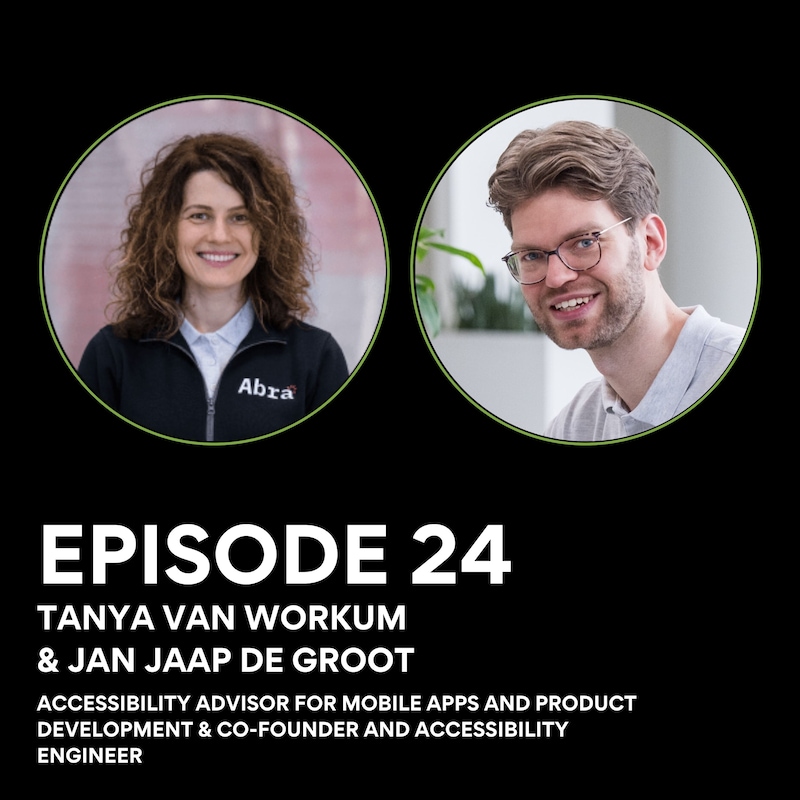
In this episode of The Digital Accessibility Podcast, Joe is joined by Tanya Van Workum and Jan Jaap De Groot of ABRA, a mobile accessibility consultancy based in the Netherlands.
With deep experience across iOS and Android accessibility, Tanya and Jan Jaap share how their backgrounds in design, development, and lived experience have shaped ABRA’s mission to make mobile apps genuinely usable for everyone.
Together, we explore what good mobile accessibility really looks like in practice, why it’s still so often overlooked, and how teams can move beyond compliance toward meaningful inclusion.
We discuss:
- Building ABRA: How Tanya and Jan Jaap came together to form a mobile-first accessibility consultancy, and why they chose to specialise exclusively in iOS and Android.
- Why mobile accessibility is different: The unique challenges of touch interfaces, gestures, screen readers, and platform-specific behaviours that are often misunderstood by teams.
- From audits to empowerment: Why accessibility audits alone aren’t enough, and how education, collaboration, and developer confidence are key to long-term impact.
- Designers, developers, and responsibility: Where accessibility ownership should sit, and how cross-functional teams can work better together.
- The human side of accessibility: How working closely with disabled users changes perspectives, priorities, and product decisions.
- Common myths and mistakes: Including a few surprising misconceptions about mobile accessibility that Tanya and Jan Jaap see time and time again.
We also touch on how organisations can embed accessibility earlier in the product lifecycle, what “good enough” really means in mobile accessibility, and why curiosity and humility matter just as much as technical knowledge.
Follow ABRA:
Website: https://www.abra.ai
Connect with the guests:
Tanya Van Workum (LinkedIn): https://www.linkedin.com/in/tanya-van-workum/
Jan Jaap De Groot (LinkedIn): https://www.linkedin.com/in/jan-jaap/
Follow Joe James:
LinkedIn: https://www.linkedin.com/in/joeajames/
Twitter (X): https://twitter.com/A11yJoe
YouTube: https://www.youtube.com/@PCRDigital
Visit PCR Digital:
Transcripts
Welcome back to the Digital Accessibility Podcast.
Speaker:If you're looking to learn more about the field of
Speaker:accessibility, how to implement it within your role
Speaker:or your company, or to get advice on where to start or
Speaker:see how others have navigated complex issues that you may
Speaker:find along the way, then you're in the right place.
Speaker:I'm honored to be able to share these insightful
Speaker:chats with thought leaders, advocates, and practitioners
Speaker:of digital accessibility throughout this podcast,
Speaker:and I hope you'll find it a useful resource.
Speaker:As always, thank you so much for listening, and I
Speaker:hope you enjoy the chat.
Speaker:Today's episode brings the Digital Accessibility
Speaker:Podcast full circle.
Speaker:Early listeners may remember Paul Van Wer discussing
Speaker:mobile app accessibility and the early days of
Speaker:what would become ABRA.
Speaker:Fast forward to today and ABRA has grown into
Speaker:a company helping global organizations build, test,
Speaker:and maintain accessible mobile apps at scale.
Speaker:I'm joined by two of the team at ABRA, co-founder
Speaker:and mobile accessibility specialist, Jan Jaap de Groot
Speaker:and accessibility and product consultant, Tanya van Work We
Speaker:get into why accessibility, mobile accessibility
Speaker:still lags behind the web where automation helps and
Speaker:where it can fall short.
Speaker:How the European Accessibility Act is shifting priorities
Speaker:and why mindset and culture matter just as much as the
Speaker:tooling that's being used.
Speaker:It's a grounded, practical conversation around what
Speaker:actually moves the needle in accessibility and why fixing
Speaker:things after the fact is never really usually enough.
Speaker:Welcome to the podcast, Tanya and Jan Jaap.
Speaker:Thanks, Joe.
Speaker:Thank you.
Speaker:Nice to be a guest here.
Speaker:Very pleased to have you here.
Speaker:and I guess we'll start at the beginning and, some
Speaker:listeners, long-term listeners will remember
Speaker:Paul van Workum who's also a co-founder of ABRA.
Speaker:he was an early guest on the podcast.
Speaker:We talked about the APT Foundation and the early
Speaker:efforts to make app accessibility more measurable.
Speaker:So I guess now that we have you both here, Tanya, would
Speaker:you be able to sort of talk us through how ABRA has evolved
Speaker:from the earlier days and how pieces like training,
Speaker:audits and your product work have come together?
Speaker:Yes.
Speaker:Sure.
Speaker:Thank you for the question.
Speaker:Well, as you, mentioned, if we look back, at ABRA, it
Speaker:really started with the accessibility, knowledge.
Speaker:About the mobile apps and it started, with, ABRA
Speaker:I think it's fair to say that, Jan Jaap and Paul,
Speaker:were pioneers in the mobile apps accessibility knowledge
Speaker:and put this great resource together which is still
Speaker:is being used by many users across the world.
Speaker:And from knowledge about the mobile
Speaker:accessibility and the app?
Speaker:Yeah, it, we moved a step, step further because of
Speaker:course, if you have that much knowledge, you want
Speaker:to use it in practice.
Speaker:So we started to look into the accessibility of the
Speaker:mobile apps of the clients to perform the audits for
Speaker:our clients and added our own approach and our own tooling
Speaker:reporting tooling, which we are still using, internally.
Speaker:And that's how we got insight or we got we
Speaker:learned about what do the companies do inside about
Speaker:mobile accessibility.
Speaker:And there was always, that vision that mobile
Speaker:accessibility should be automated as much as possible.
Speaker:So, and the testing should be as easy as possible.
Speaker:So that's why and not, not many companies are doing that.
Speaker:Back then but still you will not find a lot of
Speaker:companies that offer tooling on or software
Speaker:that tests mobile apps on accessibility automatically.
Speaker:So we saw opportunity on the market and that's why we spent
Speaker:the past two, three years on research and development
Speaker:and development on our own tooling on the automated
Speaker:and semi-automated testing.
Speaker:At the same time we continued helping companies without its
Speaker:and what we saw is that, the tooling alone is not enough.
Speaker:The external help with the testing is not
Speaker:enough that there is also a gap in the area of
Speaker:accessibility knowledge.
Speaker:So actually you must know things about mobile
Speaker:accessibility in order to perform tests or in order to,
Speaker:use the, automated tooling.
Speaker:So that's why we added another component ABRA Academy.
Speaker:And we recorded some, online trainings that we
Speaker:share with the companies.
Speaker:We also do in-company trainings.
Speaker:And we put actually besides, besides that we put all
Speaker:our knowledge, on paper in our ABRA documentation.
Speaker:Created our own rules with the, with the solutions
Speaker:and explanation of what you need to test, how we need
Speaker:to test and that's, how we ended where we are now.
Speaker:we still believe that in order to succeed with the
Speaker:accessibility with the mobile accessibility within the
Speaker:company need actually three three elements knowledge,
Speaker:tooling and skills.
Speaker:And we try to combine these three components
Speaker:in in our offering.
Speaker:It sounds fantastic and yeah, rightly so.
Speaker:And the documentation is obviously a key part of
Speaker:that as well, in, in terms of having that available.
Speaker:I think that from my perspective, from
Speaker:the beginning when I was first introduced
Speaker:to ABRA, Very much.
Speaker:And this, this community in general in accessibility
Speaker:is a lot of sharing.
Speaker:And I can see that from your side as well.
Speaker:It's an awful lot that you give out to the, industry for
Speaker:free to sort of help further things, in this space.
Speaker:but I'll bring things over to, to JJ as you're also known as.
Speaker:I just wanted to ask from your perspective as well,
Speaker:so what, were there any specific gaps that you saw
Speaker:in the industry that made you focus entirely on the
Speaker:mobile side of accessibility and then start building
Speaker:the technology behind ABRA?
Speaker:And thanks for the question.
Speaker:And for me, like my background's just in,
Speaker:in computer science, software engineering, so
Speaker:I was really interested in, in building apps when
Speaker:smartphones came out.
Speaker:So around 15 years ago, by now.
Speaker:So I've had Android and then iPhone, and, I was really
Speaker:fascinated with ideas.
Speaker:You could write applications or apps as they're known, and
Speaker:now, you have to do something on a physical device.
Speaker:So really writing sofa, sort of a portable device,
Speaker:that felt like magic to me.
Speaker:So when I had the opportunity to, study, I, I, yeah,
Speaker:chose computer science.
Speaker:and, and yeah, really started there.
Speaker:and sort of whenever I learned more about programming.
Speaker:I really want to put it in practice and started
Speaker:building apps to learn more about the knowledge or the
Speaker:courses that I, that I took.
Speaker:and yeah, basically from there I, yeah went through
Speaker:the field of accessibility and that's when I really found out
Speaker:myself that there's just not a lot of resources out there.
Speaker:and I sort of became fascinated with this
Speaker:topic about, yeah, mobile app accessibility,
Speaker:and I. It a little bit disappointing, to be honest.
Speaker:Just 'cause a lot.
Speaker:Yeah.
Speaker:even for some, yeah, some easy issues.
Speaker:There are just not really solutions available.
Speaker:So that's when I eventually decided, so to get with
Speaker:Paul to, yeah, make this knowledge base, because
Speaker:you have to just wasn't, was nothing there.
Speaker:So mostly it was out of need.
Speaker:I guess.
Speaker:We also saw opportunity there that potentially,
Speaker:you know, could turn into some kind of business, but
Speaker:mostly it started out of need and also for myself.
Speaker:'cause sometimes I just wanted to make my apps more
Speaker:accessible for, for my users.
Speaker:I just didn't really know how, how to do it because
Speaker:there is no, resources there.
Speaker:Yeah.
Speaker:Interesting.
Speaker:And that nicely brings us into the next sort of segment,
Speaker:on this in terms of the differences, between sort of.
Speaker:Website or websites, accessibility and, there's a
Speaker:still a perception that that accessibility is something
Speaker:that mostly applies to the web and mobile is somehow
Speaker:secondary or it's already got built in features
Speaker:and things like that.
Speaker:So, a question for both of you, I suppose.
Speaker:I know that obviously jj, you are more on the technical
Speaker:perspective, but, Tanya, when you are sort of performing
Speaker:the audits, ABRA for mobile apps or training teams, are
Speaker:there any key differences to share that stand out compared
Speaker:to the web and, and why would mobile need its own sort
Speaker:of set of rules and things?
Speaker:Yes, I think it's a great question.
Speaker:And from my perspective you know if you look at the mobile
Speaker:development in general if you want to develop a mobile
Speaker:app then you go to the team of the mobile developers.
Speaker:So it's, it's a rare case that you would find a full
Speaker:stack developer like Jan Jaap, it's more an exception.
Speaker:Most of the time you have either IO centric developer
Speaker:or Android developer.
Speaker:And even more often you will find like a flatter
Speaker:developer or react native.
Speaker:So depending on the technology or on the on the platform,
Speaker:and this is for the reason.
Speaker:For the reason, because, you know, mobile developers
Speaker:cannot, will not develop a website and web developers
Speaker:are not able to develop IOS or Android Web.
Speaker:And it comes because the that the concept, the
Speaker:development concepts and the concept of the product
Speaker:is really different.
Speaker:So when it comes to the mobile teams, I get more
Speaker:questions, which are going.
Speaker:In depth already, because they do understand
Speaker:that web and mobile development, are different.
Speaker:but if we look at it, it starts very simple.
Speaker:think about where the mobile apps are used.
Speaker:It's, on the mobile devices and the mobile devices
Speaker:are small or portable.
Speaker:you are using it, closer to the face.
Speaker:You are using, with a touch navigation instead
Speaker:of the mouse most often.
Speaker:So, the whole principles, how you navigate, how you use
Speaker:the mobile apps are different.
Speaker:that's one.
Speaker:And from the technical side, the websites are,
Speaker:built, based on HTML.
Speaker:and when it comes to the mobile apps, there is no.
Speaker:unified manner, how you develop, an app.
Speaker:and when we test, for example, with our automated
Speaker:tooling, I come to the conclusion that the app
Speaker:development is sort of, state of art because it's
Speaker:every time and developers come to the new ways to build
Speaker:the components together.
Speaker:And then, yeah, it's, surprised me every time.
Speaker:And when we look to the interpretation of the,
Speaker:guidelines, for example, that are in most cases,
Speaker:that were written for the, websites, websites, then
Speaker:we see the biggest, the biggest, differences.
Speaker:And then where it comes to a lot of questions
Speaker:and, interpretations.
Speaker:I would, name one example, of, target
Speaker:size, for example, it's a criterion from the 2.2.
Speaker:and basically it says that, there should be, there are
Speaker:two criteria, criteria for the minimum and enhanced,
Speaker:target size, that there should be the, if we look
Speaker:at the minimum target size, then there should be minimum
Speaker:size of the target that you use with your, pointer.
Speaker:If you use a desktop or your laptop, you will be most
Speaker:probably using your mouse.
Speaker:And if you are using your phone, you will be using your,
Speaker:fingers and touch gestures.
Speaker:So if you look at the minimum criterion, it says
Speaker:that it should be 24 by 24 CSS pixels, which first,
Speaker:is not used the size.
Speaker:points are not used in the mobile development, so
Speaker:you should interpret it.
Speaker:How, what will we, which, units will we use in
Speaker:the Android and IUS apps because it's also different.
Speaker:And secondly, if you use 24 by 24, it's so small in
Speaker:the mobile space that you will barely fail it ever
Speaker:because, even IS and Android guidelines, they give a
Speaker:much higher recommendation.
Speaker:So, you cannot apply it.
Speaker:Literally, it doesn't, it just doesn't make sense.
Speaker:so when it comes, to the key differences, then, we
Speaker:always, look very closely to the definitions because
Speaker:some of the definitions are not applicable or should be
Speaker:used with some, exceptions or with, some notes and some,
Speaker:criteria from the guidelines.
Speaker:They also will be either not applicable, or,
Speaker:should have some, some additions or some extra.
Speaker:Interpretation.
Speaker:yeah, it's fascinating and it's, it's really
Speaker:interesting hearing it from that perspective because
Speaker:I, you would, I mean, a lot of the conversations
Speaker:I have are around the fact that the WCAG are
Speaker:guidelines, so it's, it's not
Speaker:written law or legislation, it's something that you
Speaker:have to interpret and use common sense, I guess.
Speaker:But it's a shame that not every developer will
Speaker:have the w ag criterion as their set standards.
Speaker:but yeah, that scalability of between the web and and mobile
Speaker:and how, how that differs is really, really interesting.
Speaker:I can imagine if I'm trying to click on a very
Speaker:specific point on my mobile screen, I probably miss
Speaker:it quite a lot, just because of my fat fingers.
Speaker:but so jj, from a technical perspective, in, in from
Speaker:your own perspective as well, so what makes, mobile
Speaker:accessibility distinct, things like native
Speaker:components, so gestures or platform behavior, how,
Speaker:how is that complexity influencing how ABRA
Speaker:specifically is approaching automation and testing?
Speaker:Yep.
Speaker:Thanks.
Speaker:It's, yeah, I think, I think one of the biggest differences
Speaker:is yeah, what Tanya mentioned, and it's also something we
Speaker:are now focusing on in the Mobile CS PT task force.
Speaker:Are we trying to interpret and apply a, provide
Speaker:guidance on how, you know, how, how do we map book
Speaker:act to mobile applications?
Speaker:And it's mostly about the definition.
Speaker:So of course, in a success criteria and also in the
Speaker:guidelines and principles, that's just text.
Speaker:And then within those text are words, and
Speaker:then certain words mean different things to people.
Speaker:so that's why it's very important that certain words
Speaker:are, are defined and that it's understood by everyone.
Speaker:I used it in the same way in that sort of.
Speaker:What you see is the more you know, the less you know.
Speaker:'cause at first we felt we, we knew everything.
Speaker:And then we start diving into some definitions that in the
Speaker:past we just, you know, do our own interpretation and we
Speaker:felt that we understood it.
Speaker:And then now with a, with a larger group, there's
Speaker:yeah, more input, more interpretations, and
Speaker:then you sort of try to find common ground.
Speaker:And sometimes that's different than how we have done it in
Speaker:our audits, for example, or even in, in our automation.
Speaker:that's a di difficulty.
Speaker:And it's also that there's two platforms.
Speaker:So on the web there's locally one worldwide web.
Speaker:Of course there are sort of interpretations by
Speaker:different browsers, which sometimes from a technical
Speaker:perspective, your website can look different in different
Speaker:browsers or might not work.
Speaker:but at least the standards of how things are supposed to be
Speaker:are sort of the definitions.
Speaker:Yeah, those are are written by one organization and
Speaker:that really helps a lot.
Speaker:and it's also of differences from recommendations
Speaker:from Apple and Google.
Speaker:but mostly they, they are, they are somewhat aligned.
Speaker:But you have to add on what Tanya was saying, that 24
Speaker:or 44 is, is in wac, either on minimum or enhanced.
Speaker:And then on Android we have 48 dp, so that's the Android
Speaker:unit density, independent pixels and iOS, you have
Speaker:actually the same 44 in wca, but then it's just
Speaker:points and not CSS points, which is sort of iOS points.
Speaker:you can already see some differences there.
Speaker:And that's, yeah, for automation, the problem
Speaker:that you have to make rules, this is sort of your
Speaker:source of truth and define how am I testing this?
Speaker:And then for each rule you would have sort of a, a
Speaker:testing procedure and have certain steps to go through.
Speaker:I guess what we found out when making those rules, that
Speaker:it's also different how you would test manually versus
Speaker:how you test automated.
Speaker:Like sometimes with manual testing you might have more
Speaker:or less information compared to testing automatically.
Speaker:So those steps are not always exactly the same.
Speaker:I think one will make difference in sort of, yeah,
Speaker:out, think manually and automated is just manually,
Speaker:you just sort of look at your screen and you can, when
Speaker:you've done a few outlet, you can spot some issues or you
Speaker:sort of look at a component or at an icon and, and see
Speaker:that it's missing a name or missing a role, and then
Speaker:sort of go to the next item.
Speaker:but for automated testing, you sort of have the rules.
Speaker:So you just have one rule that just checks every image
Speaker:for certain text, so it it's not going through the
Speaker:screen in, in the same way.
Speaker:And also for automated testing, you would
Speaker:like to read, sort of, yeah, reuse some of the
Speaker:logic, for example, to determine all interactive
Speaker:elements on the screen.
Speaker:'cause it's needed for checking the name, checking
Speaker:the role, checking the values.
Speaker:You're sort of reusing the same logic.
Speaker:So the testing steps are, are, are very different
Speaker:sometimes from manual testing.
Speaker:that's one of the biggest challenges we have and that's
Speaker:where I get more jealous now with the, what we see.
Speaker:'cause they have lot of different working groups
Speaker:and different task forces and other initiatives that
Speaker:are, try to solve very similar problems on the web.
Speaker:And some of them they already solved.
Speaker:Like one example is, the accessibility
Speaker:conformance testing a CT.
Speaker:So they already have a lot of tests where they just
Speaker:provide some source codes or either some html, sometimes
Speaker:use as JavaScript and.
Speaker:Basically have testing procedures and just tell
Speaker:you, okay, I have this, these are my three source files.
Speaker:When you load those and you, execute this test procedure,
Speaker:this should be the outcome.
Speaker:so it should either be fill or pass or, you know, give
Speaker:some other kind of outputs.
Speaker:and you can just basically make your rule engine and
Speaker:just get all that input data and check your outputs
Speaker:and you get a score.
Speaker:And it also helps for, for people that are in the
Speaker:market to buy switch tooling.
Speaker:'cause they're able to then check how well are
Speaker:each tool's, scoring on these a CT, checks.
Speaker:And that's all, all missing in apps.
Speaker:It's, yeah, just all, all companies in the automated
Speaker:testing, solutions are, are just making their own rules.
Speaker:And so it becomes harder to compare and harder to check,
Speaker:what they're testing against.
Speaker:So that's, you know, a, a big gap that still exists
Speaker:in, in sort of the yeah.
Speaker:Mobile automation space.
Speaker:A lot of blurred lines, I suppose.
Speaker:and that's always gonna be a difficult thing to overcome
Speaker:when you are trying to get to a final sort of solution.
Speaker:because to one company, they may feel, yeah, we've, we've
Speaker:hit the nail on the head, everything's accessible until
Speaker:someone else comes along and says that only to your own
Speaker:guidelines or only to your own sort of set of set standards.
Speaker:So, yeah, tricky and, Hopefully things will become a
Speaker:bit more aligned in the mobile space as I think that they're
Speaker:starting to with, with, with web and, and the w Ag.
Speaker:I know that a lot of the mobile guidelines are built
Speaker:from WA as well, we're trying to interpret and,
Speaker:sort of port them across.
Speaker:But, yeah, hopefully it'll be a bit more of a globalized,
Speaker:standardized procedure.
Speaker:Ideal world, you know, we can always dream.
Speaker:That would be great.
Speaker:awesome.
Speaker:So, bringing that on to, what ABER is doing and, and
Speaker:comprehensive set of solutions that blends technology
Speaker:and human expertise.
Speaker:If you, as you've mentioned, earlier,
Speaker:jj can you tell us about how the automated
Speaker:side came together?
Speaker:I guess it's of, very much related to what you
Speaker:were just saying, how ABRAs tooling works or
Speaker:what makes it different.
Speaker:and are there any other sort of differences or, or, or
Speaker:challenges, that you've experienced when putting
Speaker:together your own, sort of automated side of things?
Speaker:Yes, thanks.
Speaker:Yeah.
Speaker:Love to talk about this part.
Speaker:I think for us mostly, yeah, just, it really started
Speaker:from, from the services we're providing, from the
Speaker:audits and we learned a lot from those audits 'cause
Speaker:we knew what issues were happening in those apps.
Speaker:And we also learned, which is issues developers were
Speaker:able to solve and which ones they got stuck with.
Speaker:And the same from, our apps foundation.
Speaker:So the nonprofit side, we had sort of a hotline where users
Speaker:could also report issues.
Speaker:So from that side, we also had a hundred of
Speaker:reports from users with.
Speaker:Various kinds of disabilities, and they were just telling
Speaker:us which barriers they have.
Speaker:So we sort of combined this data to really know
Speaker:sort of which success criteria or which issues
Speaker:were were most common.
Speaker:So both from sort of legislation side, from all
Speaker:its and, and from users.
Speaker:From there, we really started looking in.
Speaker:so the result is, this one that we are still working on,
Speaker:like we have just launched this for Android and I'm
Speaker:now working on the final bits and pieces for iOS.
Speaker:So it's for, name rule value and states.
Speaker:And that's something that surprisingly we saw both from
Speaker:users as well, from audits.
Speaker:That is really one of the most common issues we are seeing.
Speaker:so a lot of users are just reporting that
Speaker:there's maybe an app, with a pin code screen.
Speaker:Then it has a lot of numbers, like zero all the way to nine.
Speaker:but each button would just read or announce something
Speaker:like button, button button, button, button
Speaker:if the rule would be set.
Speaker:But sometimes there's not even a rule.
Speaker:So then you would basically just hear nothing or maybe
Speaker:hear something like image, image, image or just, yeah,
Speaker:don't hear anything at all.
Speaker:so we sort of tried to figure out how can we solve this?
Speaker:And from our audits, we also knew that some of
Speaker:the unsolvable issues were many times for
Speaker:cross-platform frameworks.
Speaker:A lot of times if people had built an app using fluter
Speaker:via native or submarine, that Maui, those are some of
Speaker:the larger and more popular frameworks that sometimes they
Speaker:would get stuck in our audit.
Speaker:So we do a re-audit and they just, were not
Speaker:able to fix some issues.
Speaker:And I think that also influenced our decision
Speaker:for our tooling to really go native.
Speaker:it also makes made sense for us, given my own background
Speaker:as a native Android developer, native iOS developer.
Speaker:yeah, do we do it natively but also meant that we have Yeah.
Speaker:Two different, solutions.
Speaker:So we sort of have our product for Android
Speaker:that we're building.
Speaker:So we're doing this in Copeland and then
Speaker:we have iOS in Swift.
Speaker:So we have two different platforms, two different
Speaker:programming languages.
Speaker:that's, yeah.
Speaker:That way we are just able to dive as deep as
Speaker:possible in the opening system and basically get
Speaker:the data that we need.
Speaker:'cause that's what we are seeing.
Speaker:And I think it's true for any kind of automated tooling,
Speaker:but also for the web.
Speaker:Just the more data you have, the better results
Speaker:you can get in the more sort of rules you can build.
Speaker:And by doing native, you're just able to get just a
Speaker:little bit more data than if you would do, using
Speaker:some cross-platform tooling.
Speaker:and most that's interesting also for us, that we knew
Speaker:from our clients, which tooling they were using.
Speaker:A lot of people were also using native
Speaker:automation framework.
Speaker:So we knew there was sort of a market there
Speaker:to get started there.
Speaker:And we also moved into sort of the, the cross-platform
Speaker:tools like Appium is, is a big, big one that can be used
Speaker:on both Android, iOS from sort of one testing script.
Speaker:but internally it's also using the Android automation
Speaker:framework and the iOS automation framework.
Speaker:'cause there's basically just no other, other way
Speaker:that Apple and Google are providing to do automation.
Speaker:so we're doing native, it allows us to sort
Speaker:of build first for, for native first applications.
Speaker:And if needed we can also expand to all the
Speaker:frameworks because they are internally also using
Speaker:those same frameworks.
Speaker:but it's, it's a lot of work.
Speaker:Like Diane mentioned, it's like three years that we're
Speaker:doing this, a lot of research and then, yeah, more than
Speaker:two years now actually building the product and.
Speaker:There's just so many, many exceptions you have
Speaker:to deal with, different devices sometimes give
Speaker:different results.
Speaker:it's just a mix of so many variables, like,
Speaker:the manufacturer of the phone has it been made
Speaker:by Samsung or like Google Y or some other vendor.
Speaker:and even on, on Apple side of things, we see differences
Speaker:between, different iPhones, even if they're running
Speaker:the same operating systems.
Speaker:And sometimes there are some apparently FL
Speaker:statements in there based on, on device models.
Speaker:well, interesting one.
Speaker:We also got that someone was using an iPhone in,
Speaker:in China and the wifi or so the Internet's
Speaker:connection work differently compared to Europe.
Speaker:So we, we are seeing a lot of differences there.
Speaker:I think one of the biggest issues there is sort of
Speaker:reproducing those issues.
Speaker:'cause we don't have every single device or every
Speaker:single manufacturer on every different operating
Speaker:system, so sometimes becomes difficult for us
Speaker:to reproduce those results.
Speaker:That's why we now finally have a solution where we can
Speaker:basically have a snapshot from our clients and then we sort
Speaker:of able to load this snapshot into our system and sort of
Speaker:reproduce this exact, yeah.
Speaker:How the screen is looking for them at that moment and
Speaker:how it's sort of behaving.
Speaker:there was a, yeah, one of the issues that
Speaker:we, we have to solve.
Speaker:It's a really, again, so super interesting because
Speaker:it's something that I think is quite widely overlooked
Speaker:is the device and it's, you know, or the access and,
Speaker:Yeah, 'cause you would just think, okay, well it's an
Speaker:operating system so we'll do a certain set of rules
Speaker:for this operating system and then that should work.
Speaker:But there's so many other variables that just makes
Speaker:this, that much more complex.
Speaker:is that sort of, just to double up on that question,
Speaker:jj, is that sort of, purely a mobile accessibility side of
Speaker:things or mobile automation?
Speaker:or would you see similar depending on what kind
Speaker:of, desktop or laptop someone's using for a
Speaker:web app or, or a website?
Speaker:Yeah, I think it, it could definitely
Speaker:be be similar there.
Speaker:I think maybe on mobile there's maybe a bigger
Speaker:chance in, in apps 'cause the sort of native APIs can
Speaker:maybe behave differently.
Speaker:but, but interesting.
Speaker:Some people don't.
Speaker:Truly realize this.
Speaker:In the end, the browser is also just an app.
Speaker:So, if you have Safari or Firebox or Chrome on
Speaker:your Android IX device, it's also an app.
Speaker:So potentially those native APIs are also
Speaker:running on there.
Speaker:And then it renders the web content.
Speaker:So technically speaking it was, browsers are always sort
Speaker:of hybrid apps 'cause they have partly native features
Speaker:and that sort of a web, web view or like their own sort
Speaker:of way of rendering the web.
Speaker:so they, I guess maybe have the worst of both worlds
Speaker:'cause they have to deal with both the native parts and also
Speaker:the web parts in, in one app.
Speaker:yeah, I think it can definitely happen on the
Speaker:web with, with devices and I think that's also what, what
Speaker:they are seeing there that is just, difficult to reproduce.
Speaker:But I think one benefit the web has is that it's sort
Speaker:of more open in nature.
Speaker:So we can sort of, for every web page, just see HTML or
Speaker:the CSS and the JavaScript.
Speaker:And download those.
Speaker:And that's sort of your, your snapshots.
Speaker:Like of course there's some nuances there, but in an
Speaker:app, you, you basically just see visually what's
Speaker:there and what's Yeah.
Speaker:Behind it running it, you Yeah.
Speaker:Have very limited access, so it's immediately a
Speaker:lot harder to, to check.
Speaker:Yeah.
Speaker:Oh, amazing.
Speaker:Okay.
Speaker:Well, I mean, good thing that we've got people like
Speaker:yourself working on that.
Speaker:and, so Tanya, so through the audit and training and
Speaker:side of things, you must see areas where, I think we've
Speaker:discussed this as well, where automation isn't quite enough
Speaker:so that human interpretation and understanding is still
Speaker:very essential to achieving accessible outcomes.
Speaker:So how much of that is also ingrained in what ABRA is
Speaker:doing, what you are doing with a, a, in terms of actual
Speaker:sort of working with disabled users or the human element
Speaker:of, of the manual testing side of things as well.
Speaker:Yes.
Speaker:I think if we look in the, comparison between,
Speaker:automated and manual testing, and if you look at how many
Speaker:issues, different issues, can you find with the automated
Speaker:testing comparably to, to manual testing, if you
Speaker:would like to come to 100%.
Speaker:If we take, for example, a waac, guideline as a, as
Speaker:a basis, because if you, conduct an audit, of course
Speaker:you need to have a checklist that the issues were the
Speaker:basis, the basis, basic standards that you apply.
Speaker:Then it would be probably 2080.
Speaker:So 20% of the issues if the app.
Speaker:Depending on the type of the app, then would
Speaker:be found automatically an 80%, manually.
Speaker:And, automated testing is always a great way to,
Speaker:to start with, testing on accessibility.
Speaker:And if you continuously have to test a lot of screens
Speaker:on the basic, issues that, that appear frequently,
Speaker:like name, role, value, state, and it's a great
Speaker:way to identify a lot of issues on a lot of screens.
Speaker:So it saves really a lot of time.
Speaker:And if you have a tooling that can report it and, tell you
Speaker:how you can solve it, then it, it really saves a lot of time.
Speaker:But a lot of times when you, yeah, when you want to
Speaker:come to 100% and you need to dive deeper, you need to
Speaker:check the screen to check the situation, to analyze
Speaker:the context, and it can be different, in each situation.
Speaker:So.
Speaker:It's hard to automate it because automation
Speaker:programming, it's about, zeros and ones, and when there
Speaker:are a lot of exceptions, then you start to automating all
Speaker:the exceptions, and that's not, that's not, feasible.
Speaker:and what, what we see is, yeah, the downside of course,
Speaker:of the manual testing is that, you have to have a
Speaker:lot of knowledge, again, but also for automated testing.
Speaker:What we see is that, sometimes, the results,
Speaker:of automated testing can be different from
Speaker:what you test manually.
Speaker:Sometimes it drives me really crazy, but, it's because,
Speaker:how the app is built.
Speaker:So when you look at the code, I will, I
Speaker:will, make an example.
Speaker:so with, with our new, feature of the snapshot,
Speaker:testing, you can see the, yeah, accessibility
Speaker:tree, the hierarchy of how the elements are built
Speaker:and the accessibility properties of the elements.
Speaker:And if I, for example, have a visually a button log in
Speaker:and I test it with a screen reader and I hear, log in,
Speaker:then I will reject it based on that the button doesn't have
Speaker:a role that the screen reader doesn't announce a role.
Speaker:If I make an automated test, then probably this
Speaker:element has a two sub elements text component
Speaker:and interactive component, and then a text component
Speaker:would be, focusable.
Speaker:But it would not have a role.
Speaker:And then the other component, interactive
Speaker:component will not have a label, but will have a role.
Speaker:So the same element, it would give a success on
Speaker:the same button because programmatically it
Speaker:has a role, but the, accessibility focus is put
Speaker:on the different element.
Speaker:And yeah, the question is always how do you report it?
Speaker:How do you report it to, to the developers?
Speaker:and if you have of course, a little bit, of accessibility
Speaker:knowledge, then you are able to understand the differences
Speaker:and to, to interpret it in the correct, way.
Speaker:so this is, yeah, sometimes, sometimes it's,
Speaker:challenging and what, what, what I also see in the
Speaker:practice, yeah, because the developers sometimes
Speaker:are being very creative then, yeah, the, the result.
Speaker:It's really difficult.
Speaker:It's, it's more like exist, existential, question.
Speaker:What would you reject?
Speaker:Like is it on the, what is programmatically
Speaker:correct or incorrect or what the users hear and
Speaker:what they actually need?
Speaker:If the button, if, if at all, if the buttons, name, role,
Speaker:value and state, sometimes developers put all of them
Speaker:in the name of the element, but our tests will give, an
Speaker:error that the element doesn't have a role, state and value.
Speaker:And programmatically it is also that way.
Speaker:But is it correct to reject it?
Speaker:Because the users, they will hear, they'll probably
Speaker:be able to, to use the app, because they.
Speaker:All the needed information with the screen reader.
Speaker:So, but if you combine both, then you are able
Speaker:to pick up the best of the book, both worlds and to
Speaker:really solve the issues, on a very, deep, level.
Speaker:yeah, I think that's, that's quite funny.
Speaker:But it's not funny that it's not being done correctly,
Speaker:but you kind of don't want to tell the developers off
Speaker:because they've clearly tried, they've just got
Speaker:it the wrong way around.
Speaker:So you don't wanna be like, no, you are wrong.
Speaker:This is bad.
Speaker:It's like, you know, it's that reeducation,
Speaker:it's the knowledge piece that you, you've, you've
Speaker:mentioned as well.
Speaker:So, but that's quite an interesting one to
Speaker:come across, but it must drive you crazy, if
Speaker:it happens too often.
Speaker:but brilliant and now really exciting question,
Speaker:I suppose.
Speaker:So the.
Speaker:The European Accessibility Act or Ian 3 0 1 5 4 9.
Speaker:and the sort of updates to, to that regulation
Speaker:legislation starting to reshape a lot of conversations
Speaker:around accessibility and especially for, for mobile,
Speaker:but also I guess hardware, devices and, and other
Speaker:things as well, kiosks.
Speaker:so Tanya, are you seeing a shift in, in how organizations
Speaker:you work with approach accessibility now that the
Speaker:EAA is here, it's on the horizon, are they becoming
Speaker:more proactive or are they still very much reactive?
Speaker:I suppose what we've spoken about today has been sort
Speaker:of reacting to issues that have already been
Speaker:built into existing, apps and, and, and services.
Speaker:But are you starting to see people put things in place
Speaker:for breeding that culture of accessibility into their
Speaker:products and services?
Speaker:Yeah, we do see, we do see a shift or different, but
Speaker:mostly within the larger organizations because of
Speaker:course, the bigger their organization is, the bigger
Speaker:the chance that it'll will be, checked by the authorities.
Speaker:so we see that the, larger organization that
Speaker:they, start conversations about accessibility, about
Speaker:mobile accessibility.
Speaker:They come to us to conduct an audit and to make a
Speaker:accessibility statement or a vpe statement.
Speaker:And then of course you need to make a plan and to make steps.
Speaker:what we also see, of course the part of the big challenge
Speaker:is if you already have an app or several apps within a large
Speaker:organization and you have these apps already for years,
Speaker:if they are not accessible and then you start to.
Speaker:Working on accessibility.
Speaker:It costs a lot of time and a lot of money.
Speaker:And it's basically, yeah, it's probably cheaper
Speaker:to build a new app, that is, accessible.
Speaker:but,
Speaker:These are, this is the challenge, but with
Speaker:the small steps, of course, you can relatively
Speaker:fast, make a big change.
Speaker:what we see, at the smaller organizations, there
Speaker:was a peak around, in, in the summer when the
Speaker:European Accessibility Act, went official.
Speaker:But, yeah, of course it means also extra budget
Speaker:and extra efforts for the smaller organizations.
Speaker:So, Often if the organization has a accessibility champion,
Speaker:so someone who is passionate about accessibility himself
Speaker:or herself, then they will bring this change also within
Speaker:the small organization.
Speaker:If this person leaves, then it, it, it dies basically.
Speaker:So, this is, very sad, to see.
Speaker:And also what we see is that, implementing
Speaker:accessibility within the organization independently,
Speaker:large or small, it's a part of, organizational change.
Speaker:So we can offer all the tooling, we can offer all
Speaker:the knowledge, but it's the people inside the
Speaker:organization who should do it.
Speaker:And this is often a very slow process, that
Speaker:requires a lot of internal changes and, it's often a
Speaker:bottleneck, unfortunately.
Speaker:but still, we see that, yeah, again, a large
Speaker:organization, they pick up it as a, as a project.
Speaker:So they, are interested in online trainings, and
Speaker:implementing, of course the tooling in their, processes,
Speaker:and doing regular audits.
Speaker:yeah, it's approximately on the same level, how it was.
Speaker:and, and as for the legislation, yeah, there
Speaker:is maybe good to mention that, there is a, a new
Speaker:version of an standards that is now being, let's
Speaker:say approved or, that will also refer to the VAC 2.2.
Speaker:So the latest, version and to the vac to ICT, what's
Speaker:applicable to the mobile apps and VAC to ICT has
Speaker:made also a new version or updated version, uh
Speaker:which is also now being, approved and discussed.
Speaker:So we see that the, there are a couple of changes within
Speaker:the standards, coming, but they are also more harmonized.
Speaker:So the VAC Act to ICT, if we talk, if we're talking
Speaker:about mobile apps, VAC Act to ICT and AM standard,
Speaker:they talk to each other.
Speaker:So the things that they changed, they also, they
Speaker:actually, harmonized.
Speaker:So it's, it's, it's a good step, ahead.
Speaker:yeah, yeah, definitely.
Speaker:I think it's a continuous work in progress as well, isn't it?
Speaker:I think.
Speaker:yeah.
Speaker:But great to see that those things are happening.
Speaker:And throughout what you were saying there about you can
Speaker:provide all of the tooling, the software, the advice, it,
Speaker:it reminds me of the analogy, I dunno if it's the same in
Speaker:the Netherlands, but you can lead a horse to water, but
Speaker:you can't force it to drink.
Speaker:so you can give people everything that they
Speaker:could need, but.
Speaker:It's on them really, isn't it, to sort of have that,
Speaker:the push and the desire to get things right or to
Speaker:change things for the better, but, hopefully it's making
Speaker:a big difference anyway.
Speaker:and jj so from a standards perspective, your work
Speaker:with the W three C mobile accessibility task force, how
Speaker:does that sort of tie into this and have you been, I'm
Speaker:assuming that you've been very much involved with some of
Speaker:these changes and amendments to, WCA two ICT, but how
Speaker:does that work influence, future legislation, or
Speaker:global best practice?
Speaker:Yeah.
Speaker:yeah, so I've been involved with the Mobile
Speaker:Acceptability Task Force for around four years now.
Speaker:So first two years just as an, invited expert as it's
Speaker:called, which is participating in the group, giving feedback.
Speaker:And then two years ago I was asked, which
Speaker:will be interested to become the facilitator.
Speaker:So facilitators to sort of organizing all the
Speaker:meetings and sort of leading the task force.
Speaker:And yeah, I, I decided to do that 'cause I, I saw
Speaker:some opportunities where we, we improve and find
Speaker:more people that were willing to contribute.
Speaker:'cause in the past it was sort of a smaller
Speaker:group and now it's, I guess more medium sized.
Speaker:And then I think around a year ago, Tanya also,
Speaker:joined, the task force.
Speaker:Yeah.
Speaker:'cause a lot of times I was really discussing
Speaker:with her some of the.
Speaker:yeah, meeting minutes and, and insights and then
Speaker:it made sense for her to also join, the meetings
Speaker:and give her perspective.
Speaker:'cause yeah, since two years or so, I've mostly
Speaker:been involved to sit in the software development part.
Speaker:Her company and Tanya has been doing the audits when the
Speaker:past, I was on actually doing the audits together with Paul.
Speaker:And then, yeah, now Paul and Tanya are mostly doing the
Speaker:audits and then, yeah, I'm doing the software development
Speaker:together with, with Mike.
Speaker:So it's the, the two of us on the software and
Speaker:then the two of us more on the server side and also,
Speaker:yeah, some mix in there.
Speaker:yeah, but I think I've, what we learned that I've already
Speaker:been there four years now, is that first of all, it's a
Speaker:slow process and that's not necessarily a bad thing, but
Speaker:yeah, it's not, and things are not changing very quickly.
Speaker:And it's mostly because in numbers we see, I
Speaker:think in most standard places you would like to.
Speaker:Get a broad perspective and have many experts
Speaker:contributing, but you're also looking really closely at
Speaker:sort of every letter that's written and looking really
Speaker:closely at those definitions.
Speaker:And then the combination of all those words to see how
Speaker:it's gonna be interpreted and give supplemental guidance.
Speaker:So it's a lot of work and also a lot of work to
Speaker:have everyone agreeing.
Speaker:but what I've personally, like one example I have from the
Speaker:EM standard is what I found out is that, like page titled
Speaker:was currently not applicable to mobile applications.
Speaker:so this success criteria for website is really
Speaker:important 'cause it, it tells you to basically
Speaker:have the title attributes.
Speaker:So basically in, in a web browser, every d is showing a
Speaker:title and technically that's the title attribute that's
Speaker:being used on a webpage.
Speaker:So Success Criterion is really easy on, on web where
Speaker:every, webpage is basically able to set this attribute
Speaker:and then you can check it, but then it becomes more
Speaker:difficult in apps where there's no search attribute
Speaker:on, on an app and there's two different platforms.
Speaker:but yeah.
Speaker:How would you interpret this?
Speaker:Would it be the title attribute on a navigation bar?
Speaker:Because that's what is visually used to
Speaker:showing the title.
Speaker:Some apps don't have this navigation bar, but they do
Speaker:have a title in a sense that it's maybe larger or bold.
Speaker:So do we need to look at semantics or characteristics?
Speaker:but what I found actually in EM standards, 'cause it's
Speaker:still humans making it, that they, they actually made a
Speaker:mistake there 'cause they, expected that it was part of
Speaker:the sets of webpages calls.
Speaker:That's sort of in a set of webpages.
Speaker:It has to have certain requirements.
Speaker:But for page title, actually looking at a single webpage,
Speaker:so they actually marked it void incorrectly.
Speaker:'cause it's, yeah, it's not about multiple webpage,
Speaker:about a single webpage.
Speaker:But this is where I think a little bit more
Speaker:in depth with what, what was done in look to ICT.
Speaker:So that's what's now in, in the legislation, not only in
Speaker:the Ian standard, but also in section 5 0 8 and other.
Speaker:Standards or legislation is that they basically
Speaker:replace webpage.
Speaker:So from a single page, which is sort of part of
Speaker:a website, they replace it with applications.
Speaker:So they're looking at the whole application.
Speaker:So where it reads normally set of webpage, it now
Speaker:reads sets of applications.
Speaker:So it's becomes sort of a set of software.
Speaker:So like you have Microsoft offers and, word and other
Speaker:applications that sort of form a suite suite.
Speaker:and then it becomes very different to, to interpreter
Speaker:success criterion.
Speaker:But yeah, I, I raised an issue there.
Speaker:So you actually, Etsy actually has a GitLab,
Speaker:which is public, and you can actually just raise
Speaker:an issue there and people will take a look at it.
Speaker:So I just raised this issue, page title that actually
Speaker:it, it could be applied, but just to the title of the
Speaker:application so that basically it would read that every
Speaker:app needs to have a title.
Speaker:But then you basically cannot feel it because
Speaker:you cannot publish an app with an empty title.
Speaker:'cause you've never seen an app on your phone that
Speaker:doesn't have a title.
Speaker:Like, well actually maybe it could have a space which
Speaker:has one character, or maybe it's a visible, but then
Speaker:we go to a discussion.
Speaker:Okay.
Speaker:But in a webpage you can actually just set
Speaker:a title that that tells you about this webpage.
Speaker:But in an app it's not, yeah, it's different.
Speaker:It's not about the call it of the app.
Speaker:It can just be a brand name.
Speaker:And a brand can be trademarked and a trademark could end
Speaker:potentially be, be an issue because maybe it's not
Speaker:descriptive, but it's just the name of the company.
Speaker:So we gotta do some description there.
Speaker:and in the end, it's no long, no longer void.
Speaker:but, it does just have a note there that, it's recommended
Speaker:in applications to have, titles for each page, but
Speaker:there's not really clear that so page that there, there are
Speaker:still some, some flaws there.
Speaker:And those are just not gonna be solved in Wak two.
Speaker:And that's basically a realization that, yeah,
Speaker:Wak two, it's not perfect, especially for mobile
Speaker:applications or for any kind of non-web, ICT.
Speaker:and then it is going to be fixed, but not in version two.
Speaker:So WC three is supposed to solve all those issues,
Speaker:but it's already been in development for, for 10 years
Speaker:and it's gonna take another five to 10 years realistically
Speaker:before that's finished.
Speaker:So in the meantime, we're still sort of left hanging
Speaker:with, you know, making interpretations, and what
Speaker:we're doing as a group mobile task force, and also book to
Speaker:ICT Task Force data are just now yeah, giving feedback
Speaker:to the WAC three, work and sort of, yeah, fill those
Speaker:gaps and make sure that this version will be better.
Speaker:but yeah, like I said, it, it'll take many years before
Speaker:it's finished and then by the time it's finished,
Speaker:it'll take many more years before it'll actually be
Speaker:adopted in any legislation.
Speaker:So, until then.
Speaker:Yeah, we sort of stuck on two and that's, I guess, what
Speaker:motivates Tanya and me to do, to do the work for Hook
Speaker:Ag two Mobile, which is a document that we're working
Speaker:on in the mobile task force to, yeah, until some of those
Speaker:issues are solved, we just trying our best to sort of
Speaker:make informative guidance.
Speaker:How do we as a group expert interpret certain, criteria.
Speaker:Brilliant.
Speaker:And do you think, it's such a tricky topic, isn't it?
Speaker:I was gonna ask about anticipation rather than
Speaker:interpretation as well.
Speaker:So if you're anticipating things to change and sort
Speaker:of looking forward, is there anything in your own guidance
Speaker:that would say, well, actually this isn't quite right, but
Speaker:you should be doing this.
Speaker:Be, and then companies may be ready for when that has
Speaker:changed in legislation or in, in the guidelines, but,
Speaker:or do you think we need to still just say, no, get this.
Speaker:As is for now with this interpretation, and then
Speaker:hopefully it will meet that new criterion or or new
Speaker:interpretation of that ruling.
Speaker:Yeah.
Speaker:Maybe I can start, but maybe Tanya also has some, probably
Speaker:ideas there, but one of, one item that comes to mind
Speaker:for me is with orientation.
Speaker:Like it's one of the requirements.
Speaker:So 1.3 0.4 orientation that you need to support landscape
Speaker:mode as well as portrait mode.
Speaker:at least that's how we have interpreted on mobile devices.
Speaker:Like it's different on, on websites that's more about
Speaker:sort of responsive design.
Speaker:'cause you're not gonna physically sort of rotate
Speaker:your, your monitor most of the times that some people
Speaker:might, might do that.
Speaker:And then, yeah, a lot of times when, when companies,
Speaker:especially during audits, yeah, they, Very often
Speaker:fill 1.3 0.4 orientation on, on landscape.
Speaker:So they only support portraits.
Speaker:so we've always told them, Hey, you should also
Speaker:support, support landscape.
Speaker:But, it's sort of a chicken and egg problem there.
Speaker:'cause a lot of apps don't support landscape.
Speaker:A lot of users are not using apps in landscape at, I
Speaker:mean, some apps are sort of made for landscape, right?
Speaker:Some sort of, if you're watching
Speaker:videos, it makes sense.
Speaker:And there's other, apps maybe if you have, like one
Speaker:example is like a piano app.
Speaker:If you are, you know, making app to where to
Speaker:recreate piano keys, that makes more sense to use the
Speaker:wider, view port of your phone and sort of portraits.
Speaker:but yeah, what we've seen there in this criteria is
Speaker:that we have always suggested people don't anticipate
Speaker:on this or whatever.
Speaker:They're building a new screen.
Speaker:maybe you cannot fix it in your current space.
Speaker:For the new screens you're building, just
Speaker:make sure those support landscape and portraits.
Speaker:'cause then by the time you maybe have finished all
Speaker:other issues in your app and you are starting to work on
Speaker:orientation on those older screens, then yeah you don't
Speaker:have to worry about the new screens 'cause you already
Speaker:solve, that issue there.
Speaker:So that's maybe one example we have.
Speaker:I think it's always good to go beyond wc.
Speaker:Like we know, yeah, from our AB foundation as well
Speaker:with our statistics that there's so many people using,
Speaker:accessibility features.
Speaker:But a lot of those accessibility features are
Speaker:not really covered in any success criteria from WAC two.
Speaker:Or sometimes they are covered within aaa.
Speaker:So I think that's also something that we tell clients
Speaker:that, hey, if you maybe are now compliant with doa, maybe
Speaker:have a look at, at aaa, maybe have a look at Whatt mentioned
Speaker:the target size one, but then the enhanced version.
Speaker:'cause on apps that's.
Speaker:And maybe actually the minimum you should be doing.
Speaker:So they just, yeah, pick some of those triple A criteria
Speaker:and, and start doing some work on those to make your
Speaker:app even more, accessible.
Speaker:Yeah, I like that.
Speaker:The beyond work ag as well.
Speaker:I think that's something that is often forgotten.
Speaker:'cause we are so focused on guidelines
Speaker:or checklists as well.
Speaker:It's like, it's not a checklist, it's something
Speaker:that, you know, needs to be bred into every
Speaker:part of, of an app or, or a website or product.
Speaker:amazing.
Speaker:Well, so I, before we go to sort of final thoughts
Speaker:on things, I just wanted to ask you both, to maybe
Speaker:become even more of a seer than you already are.
Speaker:but talking about the future of mobile accessibility, it
Speaker:does feel like we're at a bit of an inflection point at the
Speaker:moment between automation, artificial intelligence or
Speaker:machine learning, but also the growing recognition that
Speaker:accessibility does need to be built in from day one.
Speaker:so what's exciting you about.
Speaker:Where technology's heading in this space.
Speaker:I guess in terms of testing and standards, JJ and, and
Speaker:Tanya, what would you see as the next big opportunity for
Speaker:the education and culture change side of things
Speaker:utilizing new technologies?
Speaker:I dunno, Tanya, I feel like me and JJ have been talking
Speaker:for a while, so I dunno if you wanted to go first and
Speaker:then we'll bring JJ in after.
Speaker:yes, sure.
Speaker:Well, I think, I still think that, the biggest opportunity
Speaker:is, Is a mindset, of course.
Speaker:So we need to shift the mindset from fixing things
Speaker:to make it accessible to building apps accessible
Speaker:in the first way.
Speaker:So I hope that, in a terms of time, in the future,
Speaker:that it'll be a standard.
Speaker:So, you know, you, you, if when you are learn how
Speaker:to become a developer, that accessibility
Speaker:will be part of it.
Speaker:So you just build things accessible and that's it.
Speaker:and that will solve the problem in the
Speaker:future, of course.
Speaker:and I think that, what we see now, and the mobile space
Speaker:is of course relatively new.
Speaker:It's not relatively new, but, those who are developing
Speaker:mobile apps, they are not yet.
Speaker:Like old enough to experience the need of using accessible
Speaker:apps themselves, or probably that generation is just
Speaker:starting to, to, to experience like, oh, it's helpful if
Speaker:I can actually use the app with a enlarged text size.
Speaker:So when you understand that, okay, I'm dependent
Speaker:on the mobile device and on the mobile apps, so
Speaker:probably I should develop the access accessible apps
Speaker:now so that I can, pass it to the next generation and
Speaker:use it myself in the future.
Speaker:So I think that it's a biggest, change.
Speaker:And of course with the legislation, the, in
Speaker:the future, I hope that, with the change.
Speaker:That we are also, doing within the mobile task force,
Speaker:that the guidelines that they, will become more unified.
Speaker:And also personally, I hope that more people with
Speaker:disabilities will be involved in shaping those standards
Speaker:for mobile apps specifically because, I sometimes feel
Speaker:that we lack that knowledge a little bit when we
Speaker:talk about the standard.
Speaker:Then you should also test it with the, with the end users.
Speaker:And of course they are involved somehow.
Speaker:But yeah, still it's a, it's a big black box to me sometimes.
Speaker:it's not always that if you follow the word of
Speaker:standard that it's helpful for the users, maybe in
Speaker:some cases it's otherwise.
Speaker:and then, yeah.
Speaker:When it comes to organization, I just, hope that, it'll
Speaker:be more often included in the definition of done.
Speaker:It'll be offered as a standard package of the
Speaker:educational trainings within the organizations,
Speaker:and that the certifications will be, required or more
Speaker:desired by the organization who hire, developers.
Speaker:So when it becomes a part of the, of the routine, of
Speaker:the definition of done, then yeah, it's much less effort.
Speaker:and of course, building from the beginning in
Speaker:accessible way saves a lot of time at the end.
Speaker:I agree.
Speaker:And it's just sort of paving that way for people so that
Speaker:there's guardrails, right?
Speaker:So then people can just sort of, if you guide them in
Speaker:the right direction, then hopefully it just makes
Speaker:everyone's life a bit easier.
Speaker:But I love that.
Speaker:Yeah.
Speaker:The mention of obviously bringing in more people
Speaker:with lived experience of, of different disabilities
Speaker:or impairments.
Speaker:absolutely.
Speaker:Because we've spoken an awful lot about, standards
Speaker:and guidelines, but it's not always a hundred percent as
Speaker:much as we'd like it to be.
Speaker:and then, so JJ, on the, on your side of, on the more
Speaker:technical side, where do you see technology heading?
Speaker:Is it down the automated route?
Speaker:I know we've said that there needs to be a mixture of
Speaker:both, but it's very helpful in terms of, reducing the
Speaker:amount of human hours, I suppose, on audits and things
Speaker:to have the automated tools.
Speaker:But what, what excites you about the future
Speaker:of accessibility in the mobile space?
Speaker:Yeah, thanks.
Speaker:I, I guess I'm mostly enthusiastic about the
Speaker:opportunities sort of for automation now.
Speaker:I guess with ai, machine learning, all those
Speaker:technologies, we're sort of able to go beyond what
Speaker:we're able to do nowadays.
Speaker:I think it also helps automation, like ideally you
Speaker:basically need zero knowledge and you can just hit a button
Speaker:and it just tells you what issues you have and also
Speaker:tells you how to solve it.
Speaker:because I think that's a big difference with, with manual
Speaker:testing, like Diane mentioned, that you need a lot of
Speaker:knowledge to even get started and to interpret those results
Speaker:and deal with all those different interpretations,
Speaker:all different frameworks and different criteria, and
Speaker:then different standards.
Speaker:I think that's really something that automation
Speaker:can do if it's used in the right way, that it can just
Speaker:tell you, with certainty that this is an issue.
Speaker:But ideally also tell you how to fix it, and then ideally do
Speaker:this for multiple frameworks, including the one that the
Speaker:developer itself is using.
Speaker:so I do feel things like AI can help to create more
Speaker:code samples or to even transform code samples.
Speaker:Like if you know how something works on native
Speaker:Android or native iOS, you're sometimes able to
Speaker:make a plugin for those close platform frameworks.
Speaker:Maybe now with AI you can actually tell them, okay, this
Speaker:is how I can do it to Android.
Speaker:I have this code snippet that works, that maybe was
Speaker:written by a human back.
Speaker:Then how would I be able to port this to maybe
Speaker:flitter or, or react native?
Speaker:So I think that's opportunity there for developers.
Speaker:And I think the same opportunity exists for
Speaker:things like training where maybe not everyone
Speaker:is an English speaker.
Speaker:So potentially you can use AI to make a new version of
Speaker:your training materials to offer it in more languages.
Speaker:so I, I, I see opportunities there, but I think very
Speaker:important remains that yes, you know, AI has
Speaker:hallucinations or can come across as being
Speaker:very confident, but maybe it's, it's not correct.
Speaker:So there are still challenges there, especially 'cause we
Speaker:know on average the, the, the app developers don't
Speaker:have that much knowledge about accessibility.
Speaker:So they're not able to sort of fact check the results.
Speaker:I think that can.
Speaker:Dangerous where maybe they are not.
Speaker:Yeah, maybe sometimes making, fixing something
Speaker:that wasn't an issue before.
Speaker:And then also for the sort of AI generated fixes or
Speaker:code samples, there's also a challenge there that maybe it
Speaker:also breaks things or maybe is not an actual back practice.
Speaker:So there are some challenges there, but I think at the
Speaker:rate we're seeing AI and, and machine learning and
Speaker:all those technologies evolve now, I think we,
Speaker:well, we'll benefit there.
Speaker:And I do wonder if at some point, this also being
Speaker:discussed heavily though, to see if we are seeing maybe
Speaker:a shift where now developers have to solve those things.
Speaker:We're maybe seeing that assistive technologies can
Speaker:potentially fix things.
Speaker:But yeah, I think that's also slippery slope if
Speaker:you say, oh, maybe this assistive technology, maybe
Speaker:this screener is able to automatically generate
Speaker:all text or images, or maybe it's being able
Speaker:to automatically detect.
Speaker:S or the names of buttons and, and those things, but
Speaker:maybe another user doesn't have this exact technology,
Speaker:so not everyone has access to the same technology.
Speaker:So there's also some, some danger there.
Speaker:but all in all, I'm optimistic about the opportunities and
Speaker:yeah, excited to see, see what's possible and how we
Speaker:can truly just make from both perspectives and just ensure
Speaker:users, like that's what it's about, that they can actually
Speaker:just use the app and achieve whatever task they yeah.
Speaker:Would like to do within this app.
Speaker:Yeah, agreed.
Speaker:I was gonna about, I was about to sort of expand on
Speaker:that slightly, but then I think, feel like I would
Speaker:put a negative spin on it, so I don't wanna do it.
Speaker:It was just purely around, I'm not gonna do it.
Speaker:It's not, it's fine.
Speaker:I've, what I'm gonna do is something more positive.
Speaker:'cause there has been an awful lot of, of,
Speaker:positive discussion in this episode and, and.
Speaker:Especially, you know, obviously talking about
Speaker:what, what yourselves and ABRA and the task force
Speaker:are doing, and it's just amazing to know how much of
Speaker:an impact you are having.
Speaker:So, before we wrap up the episode, I just wanted to ask
Speaker:if, if you both individually had a, a message you'd like
Speaker:to, for listeners to take away, anything or something
Speaker:that you wish that every designer, developer, or
Speaker:tester, anyone in this sort of space would remember when it
Speaker:comes to mobile accessibility?
Speaker:Tanya, I dunno if you wanna go first.
Speaker:Yes.
Speaker:yes, I, use this, metaphor, often comparing accessibility
Speaker:with the brushing, teeth.
Speaker:If I tell you that, brushing your teeth once
Speaker:a year, once a year.
Speaker:Helps to keep them healthy.
Speaker:You would say time ridiculous.
Speaker:And that's correct, because it's not possible, but
Speaker:that's often what companies do with, relation to
Speaker:mobile accessibility.
Speaker:Make a audit one time per year and then forget about it.
Speaker:so if you, and if you look at it a little bit closer,
Speaker:then, yeah, you understand that having an electric
Speaker:toothbrush will not brush your teeth automatically.
Speaker:So if you have a tooling but you don't have a knowledge,
Speaker:it'll not be helpful.
Speaker:But having.
Speaker:All the knowledge about how to brush it teeth, but not
Speaker:have a, having a toothbrush will not help either,
Speaker:because then you will have to do it with your finger.
Speaker:So knowledge without the tooling is not helpful either.
Speaker:And if you never go to the dentist or use the
Speaker:floss or the mirror, then you will not know whether
Speaker:you are doing a good job.
Speaker:So, if you don't go and check with a, with an auditor, or
Speaker:someone, an accessibility expert, you'll not know
Speaker:whether you do a good job.
Speaker:So, like brushing, when you think about mobile
Speaker:accessibility, think about brushing your teeth
Speaker:and it works when it's, part of your routine.
Speaker:Just daily, two times a day, just brush your teeth
Speaker:and then make it a habit, and then it, it works.
Speaker:I love that.
Speaker:That's just absolutely brilliant.
Speaker:I'm gonna have to clip that so when we edit this
Speaker:episode, it will, we'll be using that as a, as a video.
Speaker:So thank you for sharing that.
Speaker:And Yna, sorry, hard to, hard to top that, but
Speaker:have you got a message?
Speaker:I was trying to say, it's hard to, to top this.
Speaker:We should edit it, already.
Speaker:No, I think for, for me, I, I would just like to say, yeah,
Speaker:take a look at, at websites, I think they're still ahead
Speaker:in terms of accessibility.
Speaker:So see what you can learn there and really look at
Speaker:maybe responsive design.
Speaker:Like it's really common now in, in a website.
Speaker:Nobody's building, you know, desktop only websites
Speaker:anymore, and everyone's building responsive
Speaker:or even mobile first.
Speaker:And I think people should also do that more
Speaker:for apps, especially.
Speaker:I think people that are sort of buying apps, they should
Speaker:tell, Hey, my app should only, not only be working
Speaker:on mobile devices like an iPhone or an Android, phone,
Speaker:but also on, on Android tablets and on iPads and
Speaker:maybe other form factors.
Speaker:Like now we have sort of those devices you can fold.
Speaker:So you just want your app to work on all those different
Speaker:devices and make sure all users have a good experience.
Speaker:yeah, and that includes landscape mode.
Speaker:And by doing landscape mode and by doing responsible
Speaker:design, you usually also fix other accessibility
Speaker:barriers like tech scaling.
Speaker:'cause if you already an and yeah, just make sure you can
Speaker:maybe do one column or two columns or three columns.
Speaker:Then if you start supporting larger tech size, maybe
Speaker:you're also able to support that better.
Speaker:'cause you already know that maybe not every
Speaker:row, every column will have the same size.
Speaker:yeah.
Speaker:So that's what I just want to say.
Speaker:Yeah, just yeah.
Speaker:Responsive design is not only for web, but
Speaker:also Yeah, for apps.
Speaker:Nice.
Speaker:I think that we could caveat that with, just do it.
Speaker:Just, just do accessibility.
Speaker:Just think about it, brush your teeth.
Speaker:thank you both so much for, for joining me on the episode.
Speaker:what you are doing in the space is, is is not unnoticed
Speaker:over many conversations here in the UK and, and, with
Speaker:people around the globe that, that know what you're doing.
Speaker:And I'm always sort of pushing people your way to say, look,
Speaker:this is, you know, in the mobile space, look no further.
Speaker:So, yeah, thank you for everything that you're
Speaker:doing, not just from me, but from everyone
Speaker:that you are benefiting.
Speaker:it's incredible work and yeah, just really appreciate
Speaker:your time today and I hope that we can work together
Speaker:more in the future.
Speaker:Thank you.
Speaker:Yeah, thanks a lot Joe.
Speaker:Thanks for those, motivational words and
Speaker:thanks for having us on.
