Shownotes
Most businesses don’t lose their traffic because SEO “stopped working”.
They lose it because someone redesigned the website and didn’t know what they were doing.
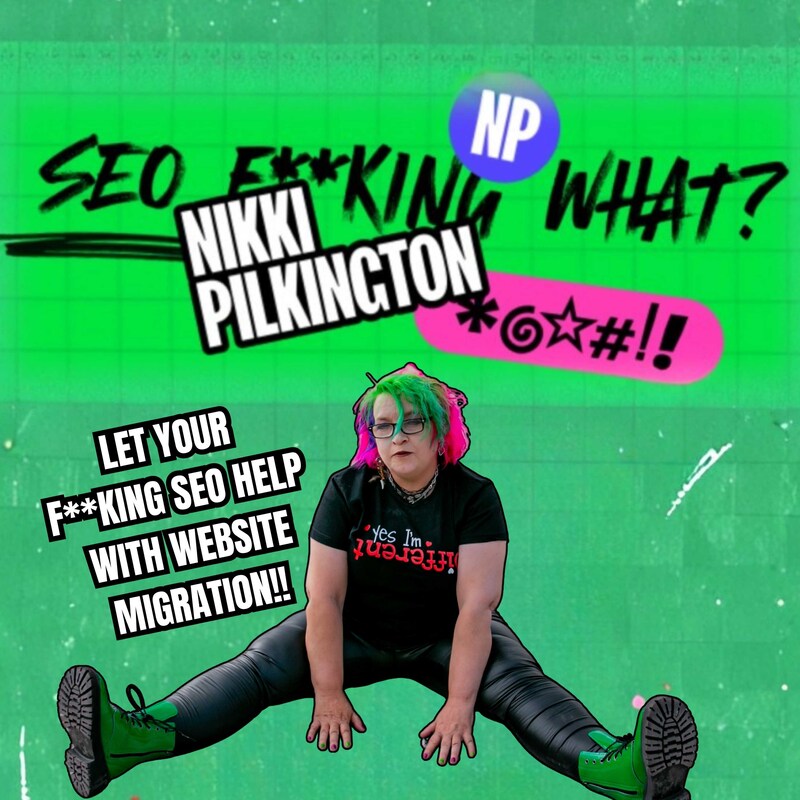
Hi, I’m Nikki Pilkington. My site is https://nikki-pilkington.com/ and in this episode of "SEO F**king What", I’m talking about website migrations, redesigns, domain changes, and how businesses accidentally torch years of SEO in a single launch.
This is the episode your controlling web developer probably doesn’t want you to hear.
In this episode, I cover:
Why website migrations go wrong so often
Why developers are not SEO specialists (and why that matters)
How URL changes wipe out rankings overnight
What 301 redirects are actually for and how people mess them up
Why missing metadata quietly kills performance
How to tell Google you’ve changed domain properly
What to do if you’ve already launched and everything’s gone a bit tits up
If you’re planning a website redesign, changing platforms, moving from .co.uk to .com, or touching your URLs in any way, listen to this before you launch.
If you’ve already launched and your traffic has fallen off a cliff, this will help you work out what’s broken and how to fix it.
Share this with your web developer.
Share it with your marketing manager.
Share it with anyone who’s about to make a very expensive mistake.
Timestamped summary
00:00 "Your Developer Is Not Your SEO Team"
01:49 "Why Website Migrations Go Wrong"
05:00 "A Real SEO Disaster Story"
06:47 "What Happens When You Mess It Up"
08:11 "How to Migrate a Website Properly"
12:10 "Fixing a Broken Migration"
If you want better results from your SEO and you don’t want to be firefighting disasters like this, I offer SEO supervision, training, and support for businesses and teams – https://nikki-pilkington.com/seo-training-and-development-uk/
Want more episodes?
https://seofuckingwhatpodcast.co.uk/
Mentioned in this episode:
Join our blogging masterclass
Transcripts
Your web developer is not your fucking SEO team. Website
Speaker:Migration Edition. Hi, client. Do you need help
Speaker:migrating your website from.co.ukto.com
Speaker:I know you've redesigned some bits of it, so there's quite a lot to think
Speaker:about. No, thanks. We have it all in hand. I mean,
Speaker:are you sure? There's quite a lot to consider here. I said we're
Speaker:fine. Stay in your lane. Our web developers are handling it.
Speaker:A few weeks later, we have no. Traffic, our
Speaker:signups have ground to a halt and loads of our pages have been
Speaker:deindexed by Google. What have you done to our
Speaker:SEO? Well, did you map the 301
Speaker:redirect? Yes. Did
Speaker:you tell Google that you'd changed domain? Yes.
Speaker:Did you move all the metadata and structured data over to the new
Speaker:design?
Speaker:Hmm. Your homepage meta title says
Speaker:Home XYZ company. Do you know what
Speaker:your issue is? No, Nicky, what's our issue?
Speaker:You didn't let your SEO help with your fucking migration.
Speaker:This is SEO. Fucking what? I'm Nikki, and here's the deal.
Speaker:I've been in SEO for over 30 years before it was even called
Speaker:SEO. And I help people like you make money from your
Speaker:website by being found in search. Today, I want to talk
Speaker:to you about website migrations, because only last week I
Speaker:watched a business torch years of SEO work
Speaker:because their web developer said, don't worry, we've got the migration
Speaker:covered. It's not an SEO job. No. No,
Speaker:they fucking haven't. And yes, yes, it fucking
Speaker:is. If you're planning to redesign your website,
Speaker:change a domain, move platforms, or do anything that involves
Speaker:URLs, changing this episode might just save
Speaker:your ass.
Speaker:Why migrations go wrong. Right,
Speaker:let's talk about why this keeps happening. Because it does keep
Speaker:happening. All the fucking time.
Speaker:Website migration is like moving house. You've got
Speaker:all your stuff in one place, everything's working, people know where to find
Speaker:you. And then you decide to move somewhere new. Maybe because
Speaker:it's a nicer house, maybe it's got better foundations,
Speaker:maybe you just fancy a change. But when you move
Speaker:house, this is what you do. You tell people your new
Speaker:address, you set up mail forwarding. You don't just pack
Speaker:up in the middle of the night and hope everyone figures out where you've gone.
Speaker:Unless you're my Uncle Steve, but that's another story. And I hope they never find
Speaker:him. And I digress. But website migration works the
Speaker:same way. Except instead of telling the postman, you're just telling
Speaker:Google. And if you don't do it properly. Google doesn't just lose your
Speaker:post, it forgets you ever fucking existed. So why does this
Speaker:go wrong? Well, firstly, because web
Speaker:developers are not SEO experts in general. And that's
Speaker:not a dig at web developers. I love a good web developer. They build
Speaker:brilliant things and they do things that are way beyond my knowledge and skill set.
Speaker:But building a website and optimizing it for search are two completely different things.
Speaker:When a web developer says, we'll handle the SEO during the
Speaker:migration, what they usually mean is we'll set up some
Speaker:redirects and then we'll install Yoast to make sure your site isn't actively
Speaker:broken. That's not SEO. That's the bare minimum
Speaker:to not be completely invisible. Hello. Secondly, Nobody thinks
Speaker:about URLs until it's too late. Your old site had a
Speaker:URL structure. Maybe it was messy, maybe it was
Speaker:beautiful, but Google pretty much knew where everything was.
Speaker:And your new site probably has a different URL structure.
Speaker:Maybe the page that used to be a services
Speaker:SEO consultancy is now at
Speaker:Whatwedo Search Engine Optimization.
Speaker:But if you don't tell Google that those two pages are the same thing,
Speaker:it thinks that the old page has just disappeared and the new page
Speaker:is brand new content with no authority. All the links or the
Speaker:rankings that were pointing to your old page are useless. All
Speaker:that ranking power you'd built up has gone.
Speaker:Thirdly, people treat redirects as an afterthought. We'll sort the
Speaker:redirects later, we'll get to the 301s down the line. That's
Speaker:like saying we'll add the parachute after we've jumped out of the plane.
Speaker:Redirect after a migration aren't a nice to
Speaker:have. They're not something you do when you get around to it.
Speaker:They're the single most important part of any website
Speaker:migration. And if you launch without them, you are royally
Speaker:fucked. So what actually happens when you do cock it up?
Speaker:Let me tell you about a real client disaster.
Speaker:I've changed the name, but the pain was very fucking real.
Speaker:This business had been working with me on their SEO for about a year.
Speaker:They'd got great rankings, brilliant traffic coming in,
Speaker:leads were generating on a daily basis. And then they
Speaker:decided that their website needed a refresh, which was fair enough.
Speaker:But instead of involving their SEO person, hi, that's me.
Speaker:They huddled in a corner with their web developer and they worked on it
Speaker:as a dev project, not an SEO project. One
Speaker:of the first things they did was they changed the site from
Speaker:WWW to non www
Speaker:without implementing redirects, which basically
Speaker:wiped out their entire site. In Google's eyes, they also
Speaker:didn't transfer any of the blog content. So over 100 blog
Speaker:posts had just gone. And when I questioned them about 301
Speaker:redirects, the response was a casual yeah. We'Re getting round to the
Speaker:301s down the line. But that was 12 months of SEO work
Speaker:that I'd done they'd paid for. I'd worked with a
Speaker:copywriter on completely obliterated every
Speaker:single search engine listing. Now pointing to Pages that
Speaker:returned 404 errors, every bit of ranking
Speaker:authority had gone. All that carefully crafted
Speaker:content that was doing some good, invisible.
Speaker:But the killer blow was that they didn't even realize they were
Speaker:bleeding traffic or rankings until the damage was already
Speaker:done. And they came to me asking what I'd
Speaker:broken me. I hadn't touched a fucking thing.
Speaker:I stayed in my lane. But here's what happens when you launch a new website
Speaker:without proper planning. First of all,
Speaker:you get immediate traffic loss. Google can't find your content, so
Speaker:neither can your visitors. Your analytics will show a cliff edge drop.
Speaker:That's enough to make you dizzy. Then you'll see vanishing
Speaker:rankings, those page one positions that you worked so hard for.
Speaker:They'll disappear overnight as Google removes your old URLs
Speaker:from the index without knowing to connect them to your new ones.
Speaker:All those lovely links from other sites are now leading to error
Speaker:pages. So the authority they pass to you, your site, whatever it was,
Speaker:has gone. And if those website owners have got any sense, they'll be removing
Speaker:those links because their systems will be telling them that they're linking to
Speaker:404s and then you've got the user experience disaster.
Speaker:Because nothing says professional quite like sending customers to a page that
Speaker:doesn't exist. And those users are going to hit their 404 errors
Speaker:and just bounce. They're going to go away, they're going back to Google, they're
Speaker:looking for something else. And come on, you know they're not coming back, right?
Speaker:And that puts everything into a trust free form. Because Google starts
Speaker:thinking, if they can't be bothered to maintain their site properly, why should I send
Speaker:visitors there? Your site's credibility takes a nosedive.
Speaker:And unlike a lot of SEO mistakes, botched migration
Speaker:has immediate catastrophic consequences
Speaker:that are visible within days. So
Speaker:here's the fix and what you need to do.
Speaker:Here's the fix and what you actually need to do. Whether
Speaker:you're planning a migration or you've already launched and things have gone a bit tits
Speaker:up. Here's what you need to know if you haven't done it yet, before you
Speaker:even think about launching. Step 1 Create
Speaker:complete URL map. Document every single URL
Speaker:on your old site and where it should point to on the new one.
Speaker:Every single one, including those blog posts from 2015
Speaker:you'd forgotten about. Use a spreadsheet, old URL in column a,
Speaker:new URL in column B. What action are you taking in column C?
Speaker:Is it a redirect? Is it getting deleted? Is it staying the same? Every
Speaker:single page? Use something like screaming frog to call your site if you've got
Speaker:access. Don't guess, don't estimate. Know exactly what you've
Speaker:got. Step 2 Prioritize your high traffic
Speaker:pages. Use your analytics, whether it's GA4 or
Speaker:Clicky or whatever, to identify your most important pages.
Speaker:Because these are your money pages. The ones that bring in traffic, the ones
Speaker:that convert visitors, the ones with links pointing at them, the ones with
Speaker:rankings, the ones that make sales, the ones that track events.
Speaker:These are the pages that get extra attention. Double check the
Speaker:redirects. Triple check them. Because if you fuck up a page that gets
Speaker:500 visitors a month, that's 500 visitors now hitting a
Speaker:404 error and thinking you're just a little bit shit.
Speaker:Step 3 Set up your redirects properly. A 301
Speaker:redirect is your forwarding address. It tells Google and users
Speaker:that this page has permanently moved. Not a 302, which is
Speaker:temporary, a 301 permanent. And for
Speaker:the love of all that is holy, don't redirect everything to
Speaker:your homepage. That's like telling everyone who visits your old house,
Speaker:just drive around the neighborhood, you'll find us eventually. Every
Speaker:old page needs to redirect to its equivalent new page.
Speaker:If there isn't an equivalent, redirect it to the next most
Speaker:relevant page. Only redirect to the homepage as
Speaker:an absolute last resort. Step four
Speaker:Move your metadata. And this is where so many redesigns
Speaker:fall over. You've got page titles, meta descriptions,
Speaker:heading structures, alt text on images, schema,
Speaker:structured data markup, all of that needs to come across to the
Speaker:the new site. If your old homepage had a carefully crafted title
Speaker:tag that was ranking beautifully, and your new homepage
Speaker:says home company name, well, you've just told Google that
Speaker:this is a completely different page and Google has no idea what
Speaker:that page is about. Export all your metadata before the
Speaker:migration. Make sure it gets imported to the new site. Check
Speaker:it after launch. Don't assume your web developer has
Speaker:has done this. It's entirely likely they haven't. Step 5
Speaker:Tell Google what you've done. If you're changing domain,
Speaker:use Google Search Console's change of Address tool. It's literally a button that
Speaker:says I've moved my site from here to here. Please update your records.
Speaker:Submit your new XML sitemap. Let Google know where all your new
Speaker:pages are. This speeds up the process of getting your new site
Speaker:indexed properly. Step 6 Test everything before you
Speaker:launch. Set up your redirects on a staging site. Click through
Speaker:every single one. Check that they go where they're supposed to go. Check there aren't
Speaker:redirect chains where one redirect points to another, which points to another,
Speaker:which points to another. Because every hop in a redirect chain
Speaker:loses a little bit of authority. You want direct connections, not a
Speaker:maze. And step seven Monitor this like your fucking
Speaker:business depends on it. Because it does. After
Speaker:launch, you get need to be looking at Google Search Console for crawl
Speaker:errors, your rankings for key terms, your traffic levels, your
Speaker:conversion rates. If something's broken, you need to know about it
Speaker:immediately. Not next week, not when you get round to checking
Speaker:now. Set up alerts. Check at least daily for the first week,
Speaker:weekly for the first month. This is when problems show up, and the faster you
Speaker:can catch them, the easier they are to fix. But what if you've
Speaker:already fucked it?
Speaker:If you've already launched without proper redirects, I want to say
Speaker:don't panic, but you probably already are and you really should be.
Speaker:So panic a little bit, but then act. Get your redirects in place
Speaker:now. Even late is better than never. Every day those
Speaker:redirects aren't working is another day you're hemorrhaging
Speaker:visitors. Check Search Console for crawl errors. See what
Speaker:Pages are returning. 404s and fix them. Priority goes to the
Speaker:pages with the most authority and the most traffic. Submit your new
Speaker:sitemap. Help Google find your new pages faster.
Speaker:Contact those sites with your most valuable backlinks.
Speaker:Ask them to update their links to your new URLs.
Speaker:Yes, this is fucking tedious. Yes, it's worth
Speaker:it. And if everything's gone completely pear shaped, you might
Speaker:need to roll back to your old site while you fix things properly. And
Speaker:this is why you always, always keep a
Speaker:backup. You did keep a backup, right? So there you
Speaker:have it. Website migration isn't black magic, but it
Speaker:does require attention to detail and a solid plan. And more
Speaker:importantly, it requires actually involving your SEO
Speaker:person before you launch, not after everything's on fire and
Speaker:you're looking for someone to blame. And if this helped, don't keep it to yourself.
Speaker:Share it with your web developer. Share it with your marketing manager. Share it
Speaker:with anyone who's about to make a very fucking expensive mistake. Make
Speaker:sure you're following SEO. Fucking what? In whichever app you're listening to right
Speaker:now so you don't miss the next episode. Until next time.
Speaker:Get found, make money. And for f sake, let your SEO
Speaker:help with your migration.


