Shownotes
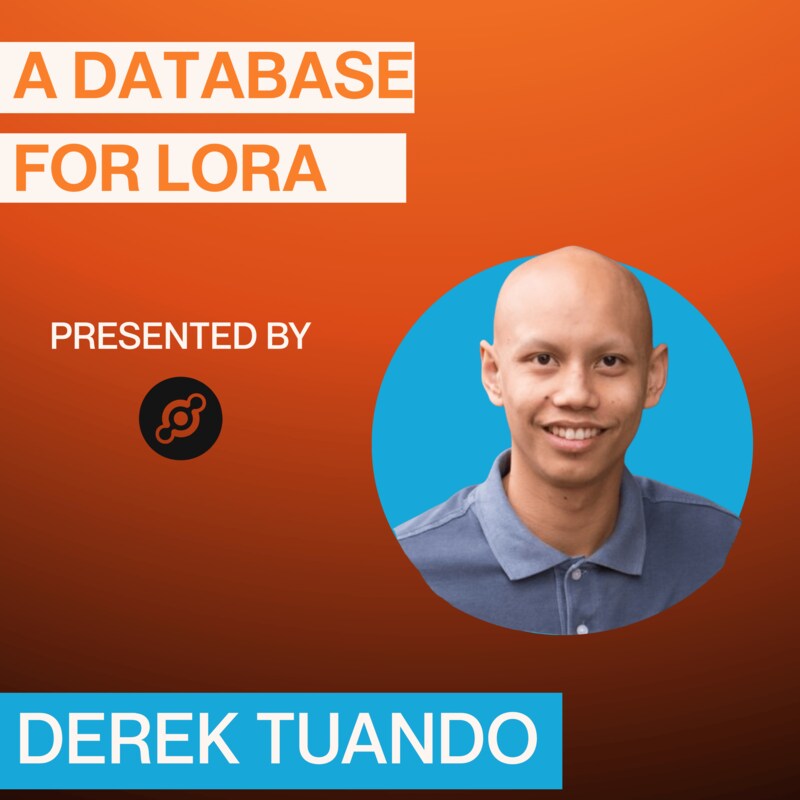
Derek Tuando, IoT specialist and creator of LoRaDB, talks about why traditional databases often fall short when applied to real-world LoRaWAN deployments, and what changes when data systems are designed with devices—not tables or tags—as the primary organizing principle.
Derek explains what an IoT database actually is, drawing clear distinctions between general-purpose databases, time-series tools, and systems purpose-built for LoRaWAN workloads. He outlines the practical challenges that emerge as projects grow beyond early pilots, including query complexity, usability issues, and the friction teams face when stitching together multiple tools just to visualize and understand device data.
The conversation dives into the core idea behind LoRaDB’s device-first data model, where all data is organized around a device’s identity rather than abstract measurements. Derek walks through how this approach simplifies querying, speeds up exploration, and makes LoRaWAN data more intuitive to work with—especially for small teams, hobbyists, and lean organizations managing thousands to tens of thousands of devices.
Derek also discusses where LoRaDB fits today, including its strengths in ease of setup, open-source accessibility, and built-in visualization, as well as its current limitations around high availability and large-scale enterprise deployments. He shares how the project is being used in production, why it’s designed to complement existing LoRaWAN stacks like ChirpStack, and how future improvements are focused on lowering the barrier for new users rather than chasing complexity.
This episode offers a grounded look at the data layer of LoRaWAN systems, with practical insights for builders, operators, and businesses deciding how to store, query, and actually use the data their devices generate.
Links
- Helium Global IoT Coverage - Want to know if Helium coverage exists where you need it? Check out this map!
- Helium Foundation - The Helium Foundation's IoT Working Group (IOTWG) has generously provided support for the first 6 months of shows, please go check them out and consider using the Helium LoRaWAN as a primary or backup on your next deployment. With over a quarter million gateways deployed worldwide, it's likely that you have and can use Helium coverage.
- Support The Show - If you'd like to support the MetSci Show financially, here's where you can donate on a one-time or an ongoing basis. Thank you!
- MetSci Show - If you'd like to use our IoT or AI Data Value calculators, or you'd like to contact me, the MetSci Show site is the best way to do it.
- MeteoScientific Console - Use LoRaWAN - The MeteoScientific Console allows you to use LoRaWAN today. As long as you have Helium coverage (and you probably do, about 90% of populated areas in the world have a gateway within 2 miles), you can onboard a sensor. You can always check coverage at https://explorer.helium.com and switch to the "IoT" tab in the top right.
Transcripts
Today's guest on MeteoScientific's.
2
:The Business of LoRaWAN is Derek Tuando,
an IoT specialist and the creator
3
:of LoRaDB, an open source database
built specifically for LoRaWAN devices.
4
:In this conversation, Derek explains
what an IoT database actually
5
:is, why many general purpose databases
become difficult to use as IoT
6
:projects grow, and what makes LoRaWAN data
different from other types of telemetry.
7
:We walk through his device first approach
to data modeling how DB is designed
8
:to simplify querying and visualization,
and where it best fits today.
9
:From hobbyist and small team deployments
10
:to real production environments
running tens of thousands of devices.
11
:This episode is sponsored
12
:by the Helium Foundation and is dedicated
to spreading knowledge about LoRaWAN.
13
:If you'd like to try, Helium’s
publicly available global LoRaWAN for free
14
:and support
the show, Sign up at metsci.show/console.
15
:Now let's dig into the conversation
with Derek Tuando.
16
:Derek, welcome to the show man,
thanks for coming on.
17
:Yeah, thank you for having me.
How are you, man?
18
:I am psyched to have you here.
19
:Thank you. I'm doing super well.
20
:We recorded the show in late December
and then I managed to botch
21
:the audio is what I think happened.
22
:So we're rerecording this,
which is fun for both of us,
23
:because we had at least one practice
round.
24
:Yeah. There we go.
25
:Give me some more time to think about
what I'm talking about to you.
26
:So tell me.
27
:Let's start off with what is LoRa DB?
28
:It's an easy to use database
that has device first features in it.
29
:Meaning you know that the whole database
is designed with the devices
30
:as the most important thing.
31
:So everything is organized around
each device,
32
:all of the data that goes in there.
33
:You know, it's when you query stuff,
it'll be based off of the device's EUI
34
:and all the information
will come from that, instead of it
35
:being different tags and fields
and everything like influx,
36
:it'll be a little bit easier and faster
to query data for each device.
37
:Okay, so the the big point or the thing
that the big pain point to solve is like
38
:it's faster and easier to query data
than whatever Postgres or influx, etc..
39
:Yeah, and easier to when you actually use
40
:the UI, it's a little bit
more intuitive than influxes.
41
:You click on the device tag
and then you have like tags
42
:and measurements
and all these different things
43
:that are in place
when you're trying to visualize it.
44
:This one is just, you know,
you pick the device that you named within
45
:chirp stack.
46
:It saves,
it uses that device name and EUI.
47
:And then you can query different time
frames and everything through there.
48
:And it's just a little bit easier
to use, a little bit more intuitive
49
:and probably a bit faster.
50
:It can query a pretty big data set. Yeah.
51
:And is that why you built it?
52
:If you could kind of encapsulate,
I mean, building
53
:a whole new system is a pretty big job.
54
:Yeah, I built it
55
:because of that, because influx was
one of the first ones that I've used.
56
:I haven't tried too many others.
57
:I think you said you used Cloudflare
I believe.
58
:Yeah. Cloudflare is one. Yep.
59
:Yeah. Yeah.
60
:So there's there's other solutions out
there.
61
:This one was
I just built because I wanted something
62
:that was intentionally made
for just LoRaWAN devices.
63
:It doesn't really ingest
any other things than LoRaWAN devices.
64
:So it it makes it a nice
65
:addition to all the other applications
that are out there.
66
:Got it.
67
:And what can people expect
when they use it?
68
:So you might need a little bit of command
line knowledge
69
:as far as getting it set up.
70
:But the documentation is pretty thorough.
71
:You know,
I try to make it as simple as possible
72
:just by running,
you know, like one bash command.
73
:It'll set everything up for you.
74
:And then setting up the database,
there's two different things you can do.
75
:You can either
just set it up to collect data
76
:from all of the devices on chirp stack,
or you can set it up
77
:to where you can isolate different
applications into separate databases
78
:using the a command line interface
that I created for it,
79
:that will help you isolate each database
for each application.
80
:That way you can
81
:when you go to look at everything,
you're not looking at a thousand devices.
82
:You're looking at,
you know, each application's devices.
83
:Got it.
84
:I mean, it sounds pretty cool
to build a database just for LoRaWAN.
85
:What are the weak points
that you think it has where you're like,
86
:all right, I've got to shore this up
87
:or this is just inherent to the system,
but it's it's worth the trade off.
88
:So I would say some weak
89
:points would be
there's not a lot of application
90
:integration outside of whatever
it's built into this application.
91
:So like you couldn't just go to Grafana
92
:and start visualizing data
from this database yet.
93
:And then if you're trying to use it
at a large scale,
94
:it's like,
say you wanted to use high availability.
95
:That's something that's not built into it
yet either.
96
:So mostly for like the hobbyist
or something,
97
:you know, smaller projects,
this is a nice, nice thing to use.
98
:It's easier to set up,
and you don't have to know
99
:a ton of different applications
just to get started.
100
:And then when you say smaller,
what are you talking about?
101
:Is that 2000, 5000, 50, 50,000 devices?
102
:Like what do we.
103
:Yeah.
104
:So I don't know about how many devices,
but I do know that you, you know, smaller
105
:as in a one man show
or if you, you know, you have just a few,
106
:you could probably do a couple tens
of thousands of them of devices.
107
:It really just depends on how many people
are working on this at this,
108
:you know, helping you out.
109
:It's it's really it's really meant
for the smaller
110
:like, hobbyist people of, LoRaWAN users.
111
:Oh, interesting.
112
:And it's would you say
it's more focused on hobbyist or it's is
113
:it appropriate for enterprise,
114
:or is it something that you think
will grow into an enterprise piece?
115
:Yeah.
116
:So as far as the enterprise,
it was mainly made for hobbyist,
117
:not for enterprise use.
118
:You could probably use it
for enterprise use.
119
:But like I said, the high availability
isn't there.
120
:The querying speed. Yeah.
121
:Like you can have 50,000 devices
and it'll log and query really fast.
122
:But as far as like I said,
you're going to want high availability
123
:probably
for certain enterprise applications.
124
:But if you're doing, you know,
you have a smaller company or just,
125
:you know, hobbyist, I wouldn't say
just hobbyist, but small companies
126
:can get away with using it as well,
but not necessarily huge companies,
127
:you know, if they're trying to track it
hundreds of thousands of devices.
128
:Maybe, maybe Amazon doesn't
listen to this in general.
129
:Right, exactly. Yeah. Yeah. Yeah.
130
:I mean but like it's
131
:I don't know, they might find good
use for it for internal stuff
132
:if they just have, you know,
133
:they're watching one warehouse,
they can probably get away
134
:with using one at each warehouse.
135
:But as far as I availability. No.
136
:Is there a difference
between the way that you use it at work,
137
:and how the average person who finds
it will use it?
138
:Are there differences
in how you can interact with it?
139
:Not really.
140
:I mean, maybe so I have it set up
141
:to where the database is in the cloud
on a on a virtual server.
142
:You can run it locally,
but I also run the UI that connects
143
:to the database to manage everything
and visualize everything locally.
144
:You can also run that in the cloud,
145
:but I run that locally
and the other things separate that way.
146
:Nobody else really has access to the UI
unless they need it.
147
:I guess that's just a security thing
I implemented into it.
148
:You could run it in the cloud.
149
:It does have authorization and everything,
but it's it's just a little bit.
150
:Sometimes people like to keep the UI
off of the cloud
151
:and local
hosted to make for security reasons.
152
:They don't want everybody looking into
their stuff.
153
:Got it.
154
:And it's a project on GitHub
so anyone can use it.
155
:It's not like you're selling it,
at least not yet. Is that right?
156
:Right. Yeah. They can get into it.
They can look at the code.
157
:They can change anything they want to.
158
:Yeah. And just use it freely.
159
:Test it out if they want to.
160
:It's honestly I like it
because I'm adding new features in there.
161
:At first I was not going to have graphs
and everything built into it.
162
:But then I thought like,
why have another piece of software?
163
:If I'm trying to make it easier
for these people,
164
:why make them find another software
that they can visualize it?
165
:I just started adding it in there.
166
:The big challenge is going to be
all the devices that are in LoRaWAN.
167
:You have to kind of make different
168
:since they output different measurements
and different payloads.
169
:They we have to kind of make a database
for all this kind of stuff too,
170
:where anybody who's using
it can also get access
171
:to using any of those devices tools
without having to program
172
:it themselves into the software
which which I'm working on right now.
173
:Got it.
174
:And other devices
that you've put a ton of them on there.
175
:And this is working well.
176
:This is like,
oh, this is really great for water meters.
177
:But I haven't tested out, you know,
solar panel monitors or whatever it is.
178
:Yeah.
179
:So there's there's quite a few devices
180
:that I haven't tested out,
but with the way it saves data, it's
181
:honestly it's
just a matter of getting the right widget
182
:visualizations in place
because the data is there.
183
:And once it gets into the database, it's
just a matter
184
:of configuring and setting up widgets
to show in the right way.
185
:Because I don't have it like Grafana
and different places like that.
186
:You can create a widget
for a measurement in a device.
187
:What I'm trying to do here is create
a widget for the whole device,
188
:so you can see all the measurements
in one widget.
189
:That way, instead of having,
you know, 20 different widgets
190
:for a device
that has 20 different measurements.
191
:Oh, interesting.
192
:So like an 11 and one and or monitor
what you're saying.
193
:You want to able to see
all of those things in one.
194
:Just all of that information
in one widget,
195
:which complicates things a little bit,
but also makes it a lot nicer in the UI,
196
:because now you don't have to set up
a different widget for each measurement
197
:like you do in Grafana, or toggle
or in any of these other data.
198
:Cake.
199
:That was one of the big things
that I'm trying to implement in this
200
:to make it easier.
201
:So you just do it by device
and that's that's
202
:where it's getting a little bit tedious.
203
:But at the same time, in the end
you only have to do it one time.
204
:So right now
I have it saving it into Json file.
205
:So anybody can pretty much
take the Json files
206
:and create their own widgets
using the templates that I have.
207
:It's a little complicated, but okay, once
I have it set up, it'll be easier
208
:and easier for the people
209
:who are trying to get into it to just,
you know, pick a device.
210
:What advice do you have?
211
:Add the widget and then visualize
your data and then connect it.
212
:And is this something
213
:that's going to be pretty easy for ChatGPT
or Gemini or Claude or whatever to.
214
:Yeah, exactly.
215
:So you can
you can probably just go into Claude
216
:and say, you know, create me
a Json based off of it.
217
:That's why I have that template there.
218
:That way you can just add that template
and it'll create that Json file for you.
219
:And then you should just be able
to drag it
220
:into the device types folder
and actually create new devices that way.
221
:Okay. Pretty straightforward
to create new devices.
222
:Are you thinking about how
223
:AI in general integrates into this, or
is it more that strategies like, hey, I'm
224
:just going to provide clear documentation,
and with that, I can do anything.
225
:I could possibly add a way for AI to be
implemented to do it, maybe down the line.
226
:Yeah, I could probably add
something like that as a, as an option.
227
:You know, it wouldn't be hard to add.
228
:You know, somebody adds their API key
229
:and then they can just get cloud
or something to generate those,
230
:those features, those devices for them,
which might be a pretty good idea to do,
231
:do the magic.
232
:I mean, it sounds pretty easy
if you've got a template
233
:and then you've got a new device,
whether it's a
234
:whatever radar, people counter
or whatever, you can just say, hey,
235
:here's template, here's device, here's
a documentation from the manufacturer
236
:who's documentation from Doug,
go make this thing work.
237
:Right, right.
238
:And it's even easier than that.
239
:Once you add the device to the database,
it outputs the LoRaWAN frame for you.
240
:And you can just copy that,
copy that frame
241
:and then say, can you pretty much
make this frame work with this template?
242
:And then it'll output,
it'll fix the code for you
243
:to pretty much make a widget for you.
244
:And when did you launch this thing?
245
:How long has it been going?
246
:So I put it up in GitHub.
247
:I want to say late November,
248
:but I've been using it personally
for a while now, and
249
:like I said, just internally with
within my within the company I work for
250
:because we don't have a lot
251
:hold ton of devices,
but we're starting to pick up
252
:to where it's just easier this way.
253
:And for me at least, instead of having
to implement everything into influx.
254
:And then I don't know, this is something
that I enjoyed doing for this.
255
:This project and it's been working.
256
:So I figure, you know, I'm not sure.
257
:Yeah, yeah. That's rad.
258
:And then do
you have a future set of milestones
259
:that you want to accomplish or timeline
laid out like, hey,
260
:this is what I want to do
by the end of:
261
:as I use it, I find new features
that I want to add to it.
262
:There's not really any end goals
besides to make it as easy as possible for
263
:for new people to come in.
I think that's that's the main goal.
264
:And the more I use it, the more I realize
and the more I use other, other tools.
265
:It's like, well, they don't do this
very well or they don't do this yet.
266
:And I think it would be a lot easier
if they did it this way.
267
:I think it's because Laurel and so new,
268
:and there's just not a lot of focus on
just making LoRaWAN tools better.
269
:There is on like the application side,
I guess, but the database side is like
270
:you choose your own database and
and figure it out.
271
:Yeah. Go with that. Yeah, yeah, exactly.
272
:And I mean, some places are making it
easier. Data cake.
273
:You can ingest everything in there,
but then you don't have a lot of choice
274
:with what lenses you use.
275
:You kind of just are stuck with theirs.
276
:Okay, dude, super cool
to see things being built for LoRaWAN.
277
:It's it's been around long enough
that it's
278
:nice to see the ecosystem
advancing in this way.
279
:Is there anything else that you want
to share or you want people to know about?
280
:Lora DB nope, but if I, you know,
if they have any questions,
281
:you can reach out on GitHub and I'll try
to answer them as best as possible.
282
:And it'd be nice
283
:to get people to just start using it
to see what kind of problems we run into.
284
:That way we can solve, implement.
285
:Yeah, exactly.
286
:And see what kind of issues they have
instead of just my issues put into this.
287
:Yeah yeah yeah. Well ripping.
Thanks ton for your time.
288
:I know, I know you get your regular job.
289
:So appreciate you carving out some time
for your day to talk to us about Lora DB
290
:yeah, thank you for having me.
291
:That's it for
this episode of The Business of LoRaWAN.
292
:If you want to go deeper
and actually deploy devices,
293
:the MeteoScientific
console is the fastest way to do that.
294
:And honestly, it's
also the best way to support the show.
295
:When you use the console, you're not just
listening, you're participating
296
:in the same real world LoRaWAN work
we talk about here every week.
297
:You can get started with the free trial
at meteoscientific.com.
298
:Huge thanks to the sponsor of the show,
the Helium Foundation,
299
:for supporting open LoRaWAN
infrastructure worldwide.
300
:Check them out at helium.foundation
and if the show has been
301
:useful give us a quick rating or review
on Apple Podcasts or wherever you listen.
302
:This really helps
303
:people find it and helps the show grow
so we can help more people.
304
:I'm Nik Hawks with MeteoScientific.
305
:I'll catch you on the next episode.


